Handy Screenshot
An easy tool for taking screenshots (full screen / visible part / selected by yourself)
什么是Handy Screenshot?
Handy Screenshot是由https://ohhandy.com开发的Chrome扩展程序,该扩展的主要功能是“An easy tool for taking screenshots (full screen / visible part / selected by yourself)”。
扩展截图
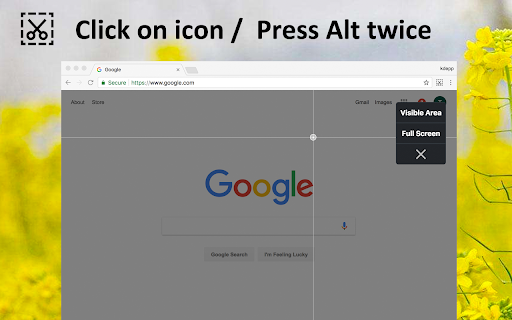

下载Handy Screenshot扩展crx文件
下载Handy Screenshot扩展crx格式的文件,手动将Chrome插件安装到浏览器中,也可以将crx文件分享给朋友,轻松安装Chrome插件。
扩展使用说明
                        Capture the web page, either part of it or full page. Edit your screenshots in a very user-friendly interface.

Click on icon or Press Alt twice to take screenshots.

-----

Notes:

- With 1.3.0 rolled out,  it's been migrated to manifest v3, and now you can copy the image with one click, no need for right click and copy image any more

- With the latest change shipped with Chrome 92, the time spent on taking full page screenshot becomes slower.   Reference:  https://developer.chrome.com/docs/extensions/reference/tabs/#property-MAX_CAPTURE_VISIBLE_TAB_CALLS_PER_SECOND
扩展基本信息
| 名称 |  Handy Screenshot Handy Screenshot |
| ID | dajlhodahakobmgdiglkajjgbchiiccf |
| 官方URL | https://chromewebstore.google.com/detail/handy-screenshot/dajlhodahakobmgdiglkajjgbchiiccf |
| 简介 | An easy tool for taking screenshots (full screen / visible part / selected by yourself) |
| 文件大小 | 353 KB |
| 安装次数 | 23,299 |
| 当前版本 | 1.3.0 |
| 更新时间 | 2022-09-14 |
| 上架时间 | 2020-05-30 |
| 评分 | 4.83/5 共361次评分 |
| 开发者 | https://ohhandy.com |
| 电子邮箱 | [email protected] |
| 付费类型 | free |
| 扩展官网 | https://www.ohhandy.com/ |
| 帮助页面URL | https://www.ohhandy.com/ |
| 支持的语言 | en |
| manifest.json | |
{
"update_url": "https:\/\/clients2.google.com\/service\/update2\/crx",
"manifest_version": 3,
"name": "Handy Screenshot",
"description": "An easy tool for taking screenshots (full screen \/ visible part \/ selected by yourself)",
"version": "1.3.0",
"author": "ohhandy.com",
"icons": {
"256": "logo.png"
},
"action": {
"default_icon": {
"38": "logo.png"
}
},
"background": {
"service_worker": "background.js"
},
"content_scripts": [
{
"matches": [
" | |