Easy Search Now
Safe & Secure Search For Chrome
什么是Easy Search Now?
Easy Search Now是由https://easysearchnow.com开发的Chrome扩展程序,该扩展的主要功能是“Safe & Secure Search For Chrome”。
扩展截图

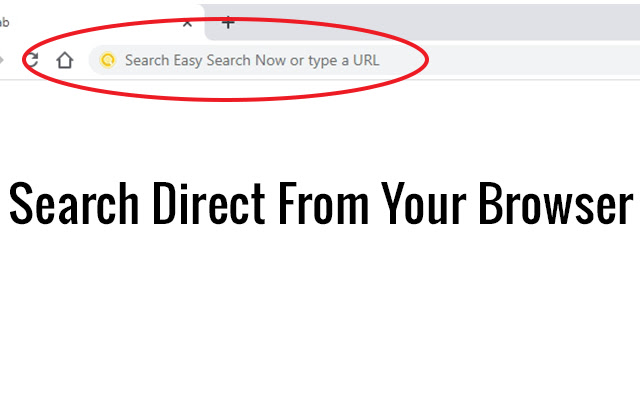

下载Easy Search Now扩展crx文件
下载Easy Search Now扩展crx格式的文件,手动将Chrome插件安装到浏览器中,也可以将crx文件分享给朋友,轻松安装Chrome插件。
扩展使用说明
                        Once installed your Omni search will be change to Easy Search Now which is secured via Yahoo powered search engine .

Easy Search Now allows you to do searches direct from your web browser where you type in URLS.

Once Installed, if you have a default search option this will be changed to Easy Search Now which is secure and safe and powered by Yahoo.

Easily find what you are looking for on the internet.

Enhanced Search Options

Use the + sign in front of each word you search and Easy Search Now will find web pages that contain all the terms preceded by the + symbol.

Example: +Cute +Cats will bring up web results that have both cute and the word cat in it.

"" Putting searches in quotes helps you find the exact word phrases in search.

Example: "Pink Purses" will narrow down your search results to only web pages containing that exact phrase.

Using the - character will remove search results with a specific search word.

Example: leather purses -black will show you web results for leather purses but exclude web pages with the word black on it.

Privacy Policy: https://easysearchnow.com/privacy-policy/

Help Page: https://safesearchnow.com/wp/help-page/
扩展基本信息
| 名称 |  Easy Search Now Easy Search Now |
| ID | dekbkjnbckgbfellphjmdpfkmpmioikg |
| 官方URL | https://chrome.google.com/webstore/detail/easy-search-now/dekbkjnbckgbfellphjmdpfkmpmioikg |
| 简介 | Safe & Secure Search For Chrome |
| 文件大小 | 31.43 KB |
| 安装次数 | 377 |
| 当前版本 | 1.0.1 |
| 更新时间 | 2020-07-03 |
| 上架时间 | 2020-07-03 |
| 开发者 | https://easysearchnow.com |
| 电子邮箱 | [email protected] |
| 付费类型 | free |
| 扩展官网 | https://easysearchnow.com |
| 帮助页面URL | https://easysearchnow.com |
| 隐私政策页面URL | https://easysearchnow.com/privacy-policy |
| 支持的语言 | en-US |
| manifest.json | |
{
    "update_url": "https:\/\/clients2.google.com\/service\/update2\/crx",
    "name": "Easy Search Now",
    "version": "1.0.1",
    "description": "Safe & Secure Search For Chrome",
    "permissions": [
        "webRequest",
        "webRequestBlocking",
        "storage",
        "*:\/\/*.easysearchnow.com\/*"
    ],
    "manifest_version": 2,
    "background": {
        "scripts": [
            "background.js"
        ],
        "persistent": true
    },
    "browser_action": {
        "default_icon": {
            "128": "images\/128.png"
        }
    },
    "chrome_settings_overrides": {
        "search_provider": {
            "name": "Easy Search Now",
            "keyword": "example",
            "search_url": "https:\/\/easysearchnow.com\/redirect.php?kw={searchTerms}",
            "favicon_url": "https:\/\/easysearchnow.com\/favicon.ico",
            "encoding": "UTF-8",
            "is_default": true
        }
    },
    "icons": {
        "16": "images\/16.png",
        "32": "images\/32.png",
        "48": "images\/48.png",
        "128": "images\/128.png"
    }
} | |