Vex 4 Game Online
This extension allows you to play Vex 4 game from new tab page.
什么是Vex 4 Game Online?
Vex 4 Game Online是由https://vex4.onl开发的Chrome扩展程序,该扩展的主要功能是“This extension allows you to play Vex 4 game from new tab page.”。
扩展截图
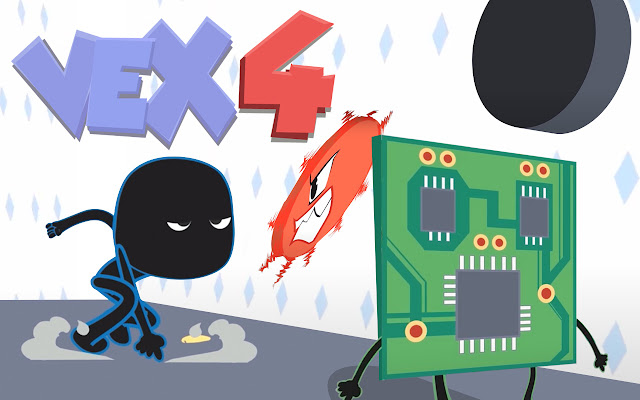


下载Vex 4 Game Online扩展crx文件
下载Vex 4 Game Online扩展crx格式的文件,手动将Chrome插件安装到浏览器中,也可以将crx文件分享给朋友,轻松安装Chrome插件。
扩展使用说明
                        How do I uninstall this extension?
1. Click on the button with three horizontal lines or the three dots found in the upper right-hand corner of your Chrome™ browser.
2. From the drop-down menu click More Tools > Extensions.
3. Next to the extension you want to remove, click Remove.
4. If you simply want to hide the extension but not remove it, you can un-check the Enabled button.
5. Restart Chrome™ browser

Permissions used & reasons:
"Replace the page you see when opening a new tab"
This allows us to show you our product - new tab page with free online games.

Chrome is a trademark of Google LLC. Use of it here does not imply any affiliation with or endorsement by Google LLC

=== Terms of Use / Privacy Policy ===

By installing this extension, you agree to the End User License Agreement (https://vex4.onl/terms-of-use/) and Privacy Policy (https://vex4.onl/privacy-policy/)
扩展基本信息
| 名称 |  Vex 4 Game Online Vex 4 Game Online |
| ID | doabchgfjiplmmnfmaddpogelgkoadik |
| 官方URL | https://chrome.google.com/webstore/detail/vex-4-game-online/doabchgfjiplmmnfmaddpogelgkoadik |
| 简介 | This extension allows you to play Vex 4 game from new tab page. |
| 文件大小 | 31.29 KB |
| 安装次数 | 1,000 |
| 当前版本 | 90.81.1120.122 |
| 更新时间 | 2020-12-06 |
| 上架时间 | 2020-05-12 |
| 评分 | 5.00/5 共35次评分 |
| 开发者 | https://vex4.onl |
| 电子邮箱 | [email protected] |
| 付费类型 | free |
| 隐私政策页面URL | https://vex4.onl/privacy-policy |
| 支持的语言 | en-US |
| manifest.json | |
{
    "update_url": "https:\/\/clients2.google.com\/service\/update2\/crx",
    "manifest_version": 2,
    "name": "Vex 4 Game Online",
    "version": "90.81.1120.122",
    "description": "This extension allows you to play Vex 4 game from new tab page.",
    "browser_action": {
        "default_icon": {
            "16": "images\/icon16.png",
            "48": "images\/icon48.png"
        },
        "default_popup": "html\/popup\/popup.html"
    },
    "chrome_url_overrides": {
        "newtab": "html\/default\/index.html"
    },
    "icons": {
        "128": "images\/icon128.png",
        "48": "images\/icon48.png",
        "16": "images\/icon16.png"
    },
    "background": {
        "scripts": [
            "js\/bg.js"
        ]
    },
    "web_accessible_resources": [
        "*.json",
        "images\/icon16.png",
        "images\/icon128.png"
    ]
} | |