Push Authenticator
Two Factor Authentication Simplified using Push Notification Verification
什么是Push Authenticator?
Push Authenticator是由push-authenticator-developers开发的Chrome扩展程序,该扩展的主要功能是“Two Factor Authentication Simplified using Push Notification Verification”。
扩展截图
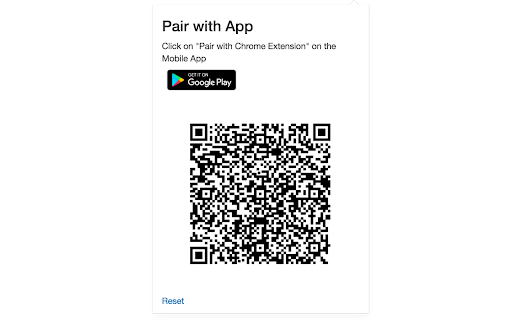

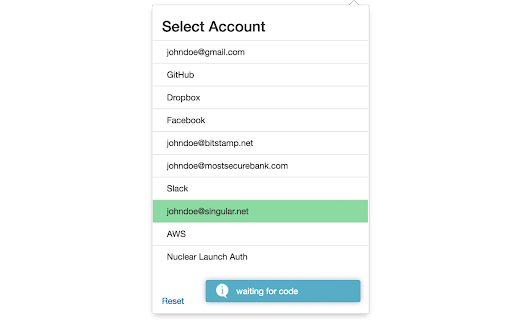
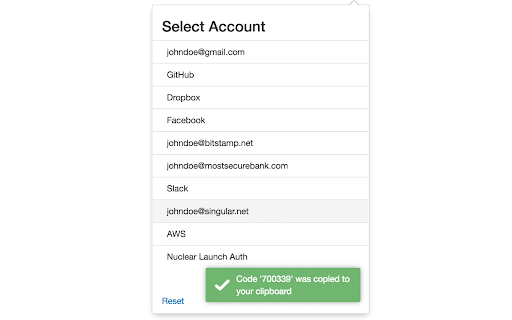
下载Push Authenticator扩展crx文件
下载Push Authenticator扩展crx格式的文件,手动将Chrome插件安装到浏览器中,也可以将crx文件分享给朋友,轻松安装Chrome插件。
扩展使用说明
Allows you to receive two factor authentication codes via push notification instead of manually copying the code from your phone. 扩展基本信息
| 名称 |  Push Authenticator Push Authenticator |
| ID | dohecjonbhinehgkkamcnpkdakhghaej |
| 官方URL | https://chromewebstore.google.com/detail/push-authenticator/dohecjonbhinehgkkamcnpkdakhghaej |
| 简介 | Two Factor Authentication Simplified using Push Notification Verification |
| 文件大小 | 486 KB |
| 安装次数 | 550 |
| 当前版本 | 2.1 |
| 更新时间 | 2016-08-01 |
| 上架时间 | 2016-07-31 |
| 评分 | 1.00/5 共1次评分 |
| 开发者 | push-authenticator-developers |
| 付费类型 | free |
| 扩展官网 | https://explore.singular.net/authenticator |
| 支持的语言 | en |
| manifest.json | |
{
    "update_url": "https:\/\/clients2.google.com\/service\/update2\/crx",
    "manifest_version": 2,
    "name": "Push Authenticator",
    "description": "Two Factor Authentication Simplified using Push Notification Verification",
    "version": "2.1",
    "icons": {
        "128": "icons\/app_icon_128x128.png"
    },
    "browser_action": {
        "default_icon": "icons\/app_icon_38x38.png",
        "default_popup": "popup.html",
        "default_title": "Push Authenticator"
    },
    "content_scripts": [
        {
            "matches": [
                "http:\/\/*\/*",
                "https:\/\/*\/*"
            ],
            "css": [],
            "js": [
                "jquery-2.2.4.min.js",
                "content_script.js"
            ]
        }
    ],
    "background": {
        "scripts": [
            "jquery-2.2.4.min.js",
            "sjcl.js",
            "background.js"
        ]
    },
    "permissions": [
        "activeTab",
        "clipboardWrite",
        "gcm",
        "storage"
    ]
} | |