KLIPY - Clips & Meme
Introducing a new way to share Emotion using GIFs with Sound! KIKLIKO's search engine is the easiest way to search for your…
什么是KLIPY - Clips & Meme?
KLIPY - Clips & Meme是由Waska Chaduneli开发的Chrome扩展程序,该扩展的主要功能是“Introducing a new way to share Emotion using GIFs with Sound! KIKLIKO's search engine is the easiest way to search for your…”。
扩展截图


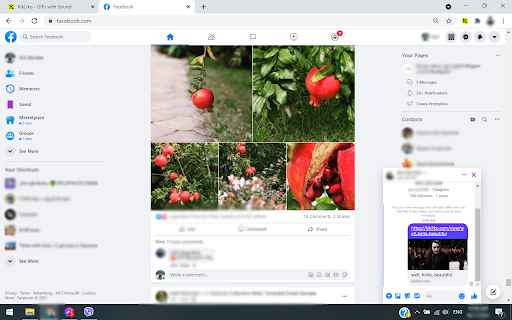

下载KLIPY - Clips & Meme扩展crx文件
下载KLIPY - Clips & Meme扩展crx格式的文件,手动将Chrome插件安装到浏览器中,也可以将crx文件分享给朋友,轻松安装Chrome插件。
扩展使用说明
                        — Search Clips (GIFs with Sound), GIFs and Memes from Movies, TV Shows or Popular Videos.
— Create/Edit and Upload your favorite moments.
— Save your those you like for later use in your Collections.
— Generate likes and views to become a Top Creator.
— Follow other users' and check out their content.

For full experience please download our Application from Playstore or Appstore.
Learn about KLIPY's privacy practices here https://klipy.co/documentation/privacy
Contact us: [email protected]
扩展基本信息
| 名称 |  KLIPY - Clips & Meme KLIPY - Clips & Meme |
| ID | eecamihehojmibkhhpfijgpmnbikhjgi |
| 官方URL | https://chromewebstore.google.com/detail/klipy-clips-meme/eecamihehojmibkhhpfijgpmnbikhjgi |
| 简介 | Introducing a new way to share Emotion using GIFs with Sound! KIKLIKO's search engine is the easiest way to search for your… |
| 文件大小 | 25.51 KB |
| 安装次数 | 286 |
| 当前版本 | 4.0 |
| 更新时间 | 2024-01-04 |
| 上架时间 | 2021-10-19 |
| 评分 | 5.00/5 共16次评分 |
| 开发者 | Waska Chaduneli |
| 电子邮箱 | [email protected] |
| 付费类型 | free |
| 扩展官网 | https://klipy.co/ |
| 帮助页面URL | https://klipy.co/documentation/about |
| 隐私政策页面URL | https://klipy.co/documentation/privacy |
| 支持的语言 | en |
| manifest.json | |
{
"update_url": "https:\/\/clients2.google.com\/service\/update2\/crx",
"manifest_version": 3,
"name": "KLIPY - Clips & Meme",
"description": "Introducing a new way to share Emotion using GIFs with Sound! KIKLIKO's search engine is the easiest way to search for your\u2026",
"version": "4.0",
"action": {
"default_popup": "popup.html",
"default_title": "KikLiko - Search GIFs with Sound"
},
"icons": {
"128": "assets\/icons\/128x128.png",
"64": "assets\/icons\/64x64.png",
"32": "assets\/icons\/32x32.png",
"16": "assets\/icons\/16x16.png"
},
"content_scripts": [
{
"matches": [
"*:\/\/kikliko.com\/*",
"*:\/\/*.kikliko.com\/*"
],
"js": [
"assets\/js\/detect_extension.js"
],
"run_at": "document_end"
},
{
"matches": [
" | |