Picflip: Easy Web Page Screenshots
Fast and powerful screenshot tool. Capture whole pages or areas, edit screenshots, and share them via link.
什么是Picflip: Easy Web Page Screenshots?
Picflip: Easy Web Page Screenshots是由http://picflip.io开发的Chrome扩展程序,该扩展的主要功能是“Fast and powerful screenshot tool. Capture whole pages or areas, edit screenshots, and share them via link.”。
扩展截图


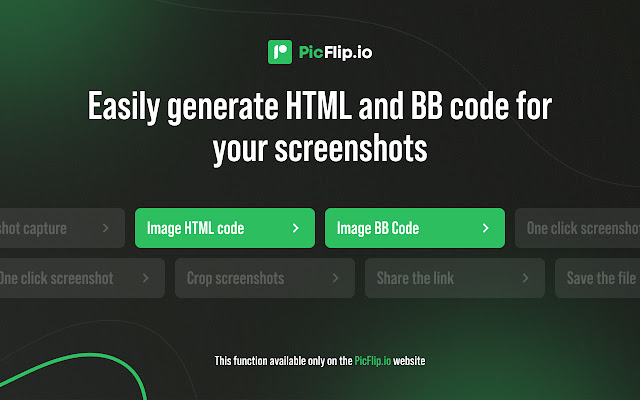
下载Picflip: Easy Web Page Screenshots扩展crx文件
下载Picflip: Easy Web Page Screenshots扩展crx格式的文件,手动将Chrome插件安装到浏览器中,也可以将crx文件分享给朋友,轻松安装Chrome插件。
扩展使用说明
                        Enjoy how effortless it is to take a screenshot of an entire webpage with PicFlip. This Chrome extension allows you to capture, edit, print, copy, send to OneNote, and save screenshots in PDF, JPEG, GIF, and PNG formats.

PicFlip can take a capture a full page or of a selected area. Then you can edit or annotate the screenshot.

You can save the captured image in a PDF format with links or as a JPEG or PNG file. Also, you can print screenshots or simply copy them to the clipboard. The images *Name* creates are instant. They rest on your device not producing any traffic. This extension can even work offline.

With PicFlip you can:
- Take a screenshot of a complete web page
- Screenshot only the visible area
- Select a custom area and capture it
- Copy, print, and save screenshots

Activate an upgrade from the settings to get the opportunity to:
- Save screenshots as PDF documents with links
- Screenshot certain elements
- Capture all active tabs and save the screenshot as a single PDF file
- Edit screenshots: crop, change the size, add arrows and text, add blur, apply various effects.
- Send the screenshot to OneNote (Only in Pro version)
- Print and save screenshots in different formats: PDF, PNG, GIF, JPEG, and BMP
- Upload screenshots to Facebook, Twitter, Flickr, Google Picasa, EasyCaptures, ImageShack
- Send screenshots directly to the email
- Export screenshots to external editors
扩展基本信息
| 名称 |  Picflip: Easy Web Page Screenshots Picflip: Easy Web Page Screenshots |
| ID | emdjgaadafkmimgiifodbpgoceclbfjb |
| 官方URL | https://chrome.google.com/webstore/detail/picflip-easy-web-page-scr/emdjgaadafkmimgiifodbpgoceclbfjb |
| 简介 | Fast and powerful screenshot tool. Capture whole pages or areas, edit screenshots, and share them via link. |
| 文件大小 | 726 KB |
| 安装次数 | 1,334 |
| 当前版本 | 1.2 |
| 更新时间 | 2022-01-10 |
| 上架时间 | 2020-06-15 |
| 评分 | 4.46/5 共13次评分 |
| 开发者 | http://picflip.io |
| 电子邮箱 | [email protected] |
| 付费类型 | free |
| 扩展官网 | http://picflip.io/ |
| 帮助页面URL | http://picflip.io/privacy/ |
| 支持的语言 | id,ms,de,en,en-GB,en-US,fil,fr,nl,no,vi,tr,ca,da,et,es,es-419,hr,it,lv,lt,hu,pl,pt-BR,pt-PT,ro,sk,sl,fi,sv,cs,el,sr,bg,ru,uk,mr,hi,bn,gu,ta,te,ml,th,zh-CN,zh-TW,ja,ko |
| manifest.json | |
{
"background": {
"service_worker": "js\/service_worker.js"
},
"action": {
"default_icon": "img\/logoIcon.png",
"default_popup": "html\/popup.html",
"default_title": "__MSG_appName__"
},
"content_scripts": [
{
"all_frames": false,
"css": [
"css\/page.css"
],
"js": [
"js\/modules\/helpers.js",
"js\/modules\/crop-page.js",
"js\/modules\/desktopMediaStream.js",
"js\/modules\/capture.js",
"js\/page.js"
],
"matches": [
" | |