JavaScript Switch
Developers and users can switch JavaScript ON/OFF to block vulnerable JavaScript programs and test accessibility of the website
什么是JavaScript Switch?
JavaScript Switch是由Manikandan R开发的Chrome扩展程序,该扩展的主要功能是“Developers and users can switch JavaScript ON/OFF to block vulnerable JavaScript programs and test accessibility of the website”。
扩展截图
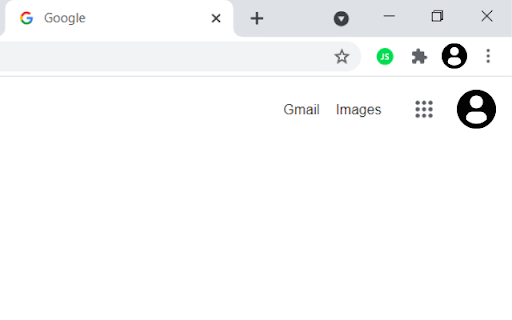
下载JavaScript Switch扩展crx文件
下载JavaScript Switch扩展crx格式的文件,手动将Chrome插件安装到浏览器中,也可以将crx文件分享给朋友,轻松安装Chrome插件。
扩展使用说明
                        Developers and Users can switch JavaScript ON/OFF instantly, to block vulnerable JavaScript programs and to test accessibility of the website.

🌄 World without JavaScript
       ________________________
When you switch off the JavaScript for a website, you will enter into a new world with
    - No ads
    - No endless scrolling
    - No Pop up
    - No Cookies
    - No Local Storage
It means no data storing and sharing with advertisers and third party vulnerable programs. Enter into this new world of websites with JavaScript Switch.
扩展基本信息
| 名称 |  JavaScript Switch JavaScript Switch |
| ID | fopnmaooogcdcnofegdbcgfbgpkhgoae |
| 官方URL | https://chromewebstore.google.com/detail/javascript-switch/fopnmaooogcdcnofegdbcgfbgpkhgoae |
| 简介 | Developers and users can switch JavaScript ON/OFF to block vulnerable JavaScript programs and test accessibility of the website |
| 文件大小 | 107 KB |
| 安装次数 | 372 |
| 当前版本 | 1.0.2 |
| 更新时间 | 2023-05-09 |
| 上架时间 | 2021-07-05 |
| 开发者 | Manikandan R |
| 电子邮箱 | [email protected] |
| 付费类型 | free |
| 扩展官网 | https://mkdr390.github.io/javascript-switch/ |
| 支持的语言 | en |
| manifest.json | |
{
    "update_url": "https:\/\/clients2.google.com\/service\/update2\/crx",
    "manifest_version": 3,
    "name": "JavaScript Switch",
    "version": "1.0.2",
    "description": "Developers and users can switch JavaScript ON\/OFF to block vulnerable JavaScript programs and test accessibility of the website",
    "icons": {
        "16": "icons\/icon16.png",
        "48": "icons\/icon48.png",
        "128": "icons\/icon128.png"
    },
    "minimum_chrome_version": "88",
    "homepage_url": "https:\/\/mkdr390.github.io\/javascript-switch",
    "permissions": [
        "tabs",
        "contentSettings"
    ],
    "background": {
        "service_worker": "js\/main.js"
    },
    "action": {
        "default_icon": "icons\/icon-enabled.png"
    }
} | |