SmartSearch
Quickly search a page for a word and its synonyms.
什么是SmartSearch?
SmartSearch是由Rohan Khajuria开发的Chrome扩展程序,该扩展的主要功能是“Quickly search a page for a word and its synonyms.”。
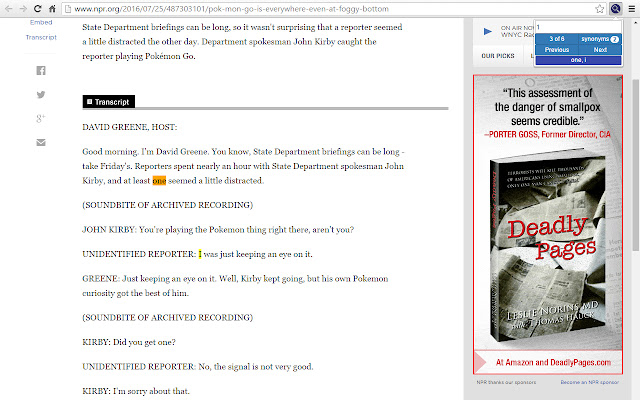
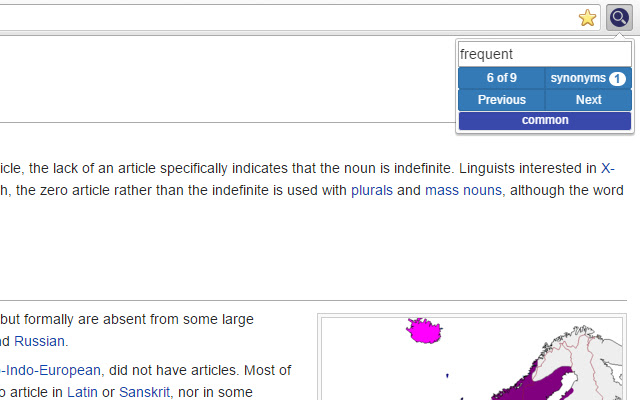
扩展截图

下载SmartSearch扩展crx文件
下载SmartSearch扩展crx格式的文件,手动将Chrome插件安装到浏览器中,也可以将crx文件分享给朋友,轻松安装Chrome插件。
扩展使用说明
                        Searching a page for a topic but just can't seem to find it? SmartSearch is an extension that allows you to search a page not only for a word, but for its synonyms as well.

SmartSearch has an options page that allows you to customize your search functionality. To access the options page, enter "chrome://extensions" into your address bar, find SmartSearch, and click on "options".

Usage Instructions:
• Use the shortcut CTRL+SHIFT+F or click on the extension icon to toggle the search box.
• To search, type in your search query and press enter, the next button, or the previous button.
• Click the counter button (top left) to reset your search iteration to the first term.
• Click the synonyms button (top right) to display a list of the synonyms found on the page.
• Waiting until a page is loaded to search will yield the best results.

On First Installation:
• Visit the option page (see above) to select search functionality.
• Any pages that were open before installation will have to be reloaded to be searched.

Feel free to report any bugs, recommend any features, or ask any questions!
扩展基本信息
| 名称 |  SmartSearch SmartSearch |
| ID | ggiildmoenlcfobcebgaaofpogcdbpge |
| 官方URL | https://chrome.google.com/webstore/detail/smartsearch/ggiildmoenlcfobcebgaaofpogcdbpge |
| 简介 | Quickly search a page for a word and its synonyms. |
| 文件大小 | 3.4 MB |
| 安装次数 | 18 |
| 当前版本 | 0.4.2 |
| 更新时间 | 2016-07-27 |
| 上架时间 | 2016-07-27 |
| 开发者 | Rohan Khajuria |
| 付费类型 | free |
| 支持的语言 | en |
| manifest.json | |
{
"update_url": "https:\/\/clients2.google.com\/service\/update2\/crx",
"manifest_version": 2,
"name": "SmartSearch",
"description": "Quickly search a page for a word and its synonyms.",
"version": "0.4.2",
"content_scripts": [
{
"matches": [
" | |