Pingify : Gmail, Facebook & Twitter updates
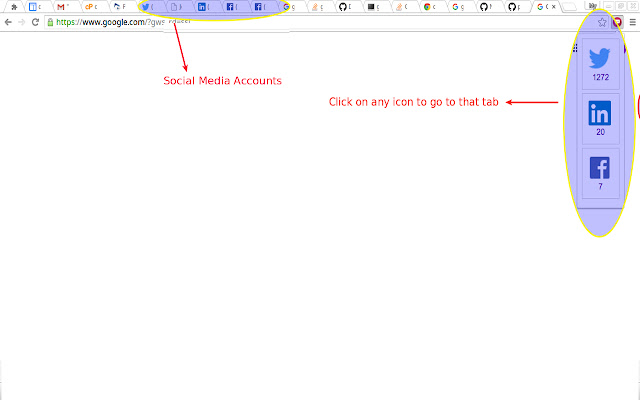
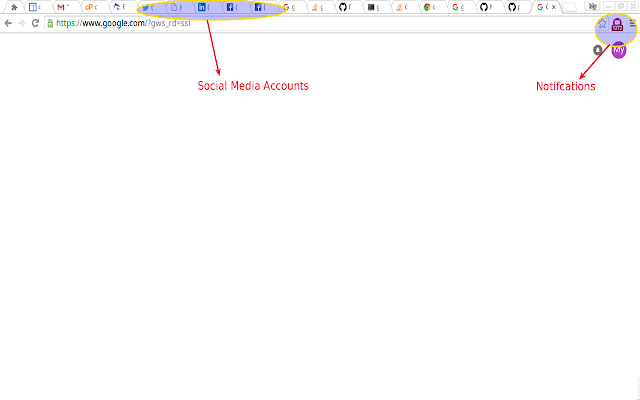
Get realtime facebook, twitter, gmail tabs updates & switch to the tab from any window
什么是Pingify : Gmail, Facebook & Twitter updates?
Pingify : Gmail, Facebook & Twitter updates是由Piyush开发的Chrome扩展程序,该扩展的主要功能是“Get realtime facebook, twitter, gmail tabs updates & switch to the tab from any window ”。
扩展截图

下载Pingify : Gmail, Facebook & Twitter updates扩展crx文件
下载Pingify : Gmail, Facebook & Twitter updates扩展crx格式的文件,手动将Chrome插件安装到浏览器中,也可以将crx文件分享给朋友,轻松安装Chrome插件。
扩展使用说明
                        A chrome addon that notifies any new updates on opened Facebook, Twitter, Gmail tabs.

Benefits:
* Allows to check realtime tab updates without leaving the current tab
* Makes it easy to quickly switch to the tab you are interested in, from any window
* Does not require or store sensitive login details

Changes
* Added support to Gmail

Features
* Supports facebook, twitter, Gmail
* Realtime and fast updates
* Ability to quickly switch between tabs
* Supports multiple windows and multiple tabs
* Does not need any sensitive data, password etc
* Low on memory consuption
扩展基本信息
| 名称 |  Pingify : Gmail, Facebook & Twitter updates Pingify : Gmail, Facebook & Twitter updates |
| ID | hljfcoecgpocgkhcimnldhddofkmpnki |
| 官方URL | https://chrome.google.com/webstore/detail/pingify-gmail-facebook-tw/hljfcoecgpocgkhcimnldhddofkmpnki |
| 简介 | Get realtime facebook, twitter, gmail tabs updates & switch to the tab from any window |
| 文件大小 | 104 KB |
| 安装次数 | 17 |
| 当前版本 | 0.0.0.3 |
| 更新时间 | 2016-06-18 |
| 上架时间 | 2016-06-18 |
| 评分 | 5.00/5 共2次评分 |
| 开发者 | Piyush |
| 付费类型 | free |
| 扩展官网 | http://www.piyushtripathi.com |
| 隐私政策页面URL | http://www.piyushtripathi.com |
| 支持的语言 | en-US |
| manifest.json | |
{
"update_url": "https:\/\/clients2.google.com\/service\/update2\/crx",
"manifest_version": 2,
"name": "Pingify : Gmail, Facebook & Twitter updates",
"description": "Get realtime facebook, twitter, gmail tabs updates & switch to the tab from any window ",
"version": "0.0.0.3",
"icons": {
"16": "img\/icon-16.png",
"32": "img\/icon-32.png",
"48": "img\/icon-48.png",
"128": "img\/icon-128.png",
"480": "img\/icon-480.png"
},
"background": {
"scripts": [
"background.js"
],
"persistent": true
},
"browser_action": {
"default_icon": "img\/icon.png",
"default_popup": "popup.html"
},
"content_scripts": [
{
"matches": [
" | |