Sema Login Autocomplete
Configure users credentials for each environment of your development web-projects. It's more than an autocomplete feature :-)
什么是Sema Login Autocomplete?
Sema Login Autocomplete是由José Manuel García García开发的Chrome扩展程序,该扩展的主要功能是“Configure users credentials for each environment of your development web-projects. It's more than an autocomplete feature :-)”。
扩展截图
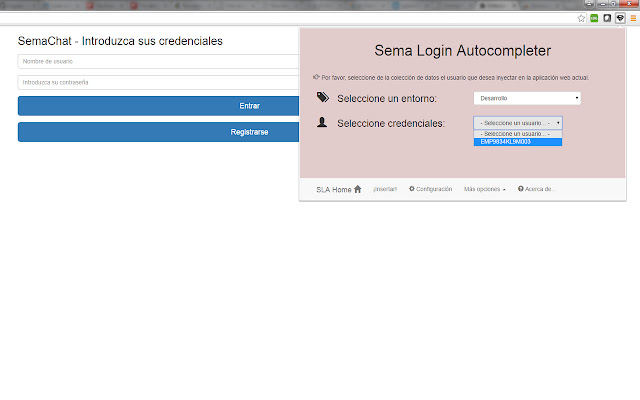
下载Sema Login Autocomplete扩展crx文件
下载Sema Login Autocomplete扩展crx格式的文件,手动将Chrome插件安装到浏览器中,也可以将crx文件分享给朋友,轻松安装Chrome插件。
扩展使用说明
                        Are you tired of write several time the user credentials of your current web development? Do you have a lot of different users in your web-app? Don't you remember which one is each credentials?

With the help of this extension you'll manage all your users and all your development environments (ouh yeah, production too!!), and don't care about the passwords :-)

Moreover, you could share that configuration (users, environments, credentials...) with your new mates, and you'll save your appreciated and tight time avoiding to resent them manually!

Languages: english, spanish and coming soon... italian! (automatically selected based on the chrome-lang)

Install it right now!
扩展基本信息
| 名称 |  Sema Login Autocomplete Sema Login Autocomplete |
| ID | icibgoniiblnlggidknaoijhcomafhma |
| 官方URL | https://chrome.google.com/webstore/detail/sema-login-autocomplete/icibgoniiblnlggidknaoijhcomafhma |
| 简介 | Configure users credentials for each environment of your development web-projects. It's more than an autocomplete feature :-) |
| 文件大小 | 349 KB |
| 安装次数 | 35 |
| 当前版本 | 1.2 |
| 更新时间 | 2016-04-23 |
| 上架时间 | 2016-04-23 |
| 评分 | 5.00/5 共1次评分 |
| 开发者 | José Manuel García García |
| 电子邮箱 | [email protected] |
| 付费类型 | free |
| 支持的语言 | en,es |
| manifest.json | |
{
"update_url": "https:\/\/clients2.google.com\/service\/update2\/crx",
"manifest_version": 2,
"name": "__MSG_extName__",
"version": "1.2",
"default_locale": "en",
"description": "__MSG_extDescription__",
"author": "Sema (Jos\u00e9 Manuel Garc\u00eda Garc\u00eda)",
"browser_action": {
"default_icon": "icons\/16\/s2.png",
"default_title": "Sema Login Autocomplete Extension",
"default_popup": "browser\/browser-action.html"
},
"background": {
"scripts": [
"libs\/jquery.js",
"background\/background.js"
],
"persistent": false
},
"commands": {
"_execute_browser_action": {
"suggested_key": {
"windows": "Ctrl+Shift+S",
"mac": "Command+Shift+S",
"chromeos": "Ctrl+Shift+S",
"linux": "Ctrl+Shift+S"
}
}
},
"content_scripts": [
{
"matches": [
" | |