Stash Wallet
A crypto wallet for using NFTs rented on Stash Marketplace
什么是Stash Wallet?
Stash Wallet是由http://joinstash.io开发的Chrome扩展程序,该扩展的主要功能是“A crypto wallet for using NFTs rented on Stash Marketplace”。
扩展截图
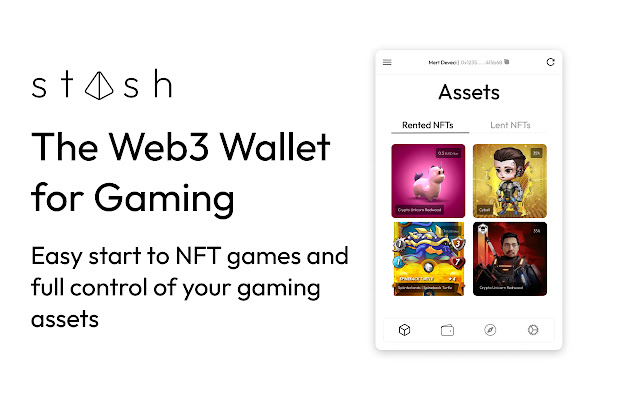
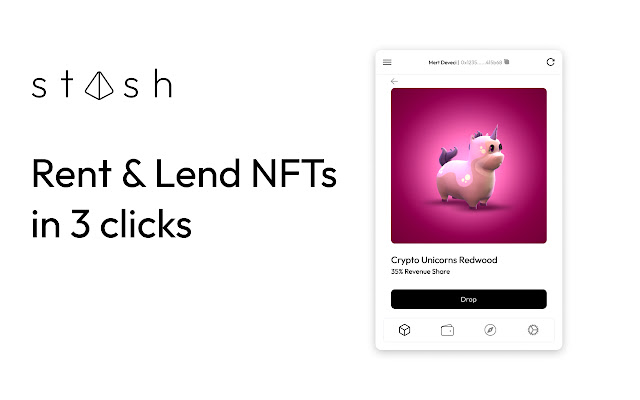


下载Stash Wallet扩展crx文件
下载Stash Wallet扩展crx格式的文件,手动将Chrome插件安装到浏览器中,也可以将crx文件分享给朋友,轻松安装Chrome插件。
扩展使用说明
                        The Web3 Wallet for Gamers.

Now starting to play a web3 game does not have to be so hard. You can use your Stash wallet in a convenient way. Stash Wallet allows you:

- to keep track of the NFT assets that you own
- rent or lend within Stash Marketplace and see assets across games
- see a breakdown of your earnings across various play-and-earn games
- list your recent activities across games and inside the marketplace

Now games reward you for your referrals. Call your friends to start playing a game and make money!
扩展基本信息
| 名称 |  Stash Wallet Stash Wallet |
| ID | incepomdpmhakfkbifbhhmbjeofohaka |
| 官方URL | https://chrome.google.com/webstore/detail/stash-wallet/incepomdpmhakfkbifbhhmbjeofohaka |
| 简介 | A crypto wallet for using NFTs rented on Stash Marketplace |
| 文件大小 | 3.24 MB |
| 安装次数 | 26 |
| 当前版本 | 0.0.4 |
| 更新时间 | 2022-08-24 |
| 上架时间 | 2022-07-28 |
| 评分 | 5.00/5 共4次评分 |
| 开发者 | http://joinstash.io |
| 电子邮箱 | [email protected] |
| 付费类型 | free |
| 扩展官网 | https://app.joinstash.io |
| 帮助页面URL | https://discord.gg/joinstash |
| 隐私政策页面URL | https://joinstash.io/privacy-policy |
| 支持的语言 | en-US |
| manifest.json | |
{
    "update_url": "https:\/\/clients2.google.com\/service\/update2\/crx",
    "name": "Stash Wallet",
    "description": "A crypto wallet for using NFTs rented on Stash Marketplace",
    "version": "0.0.4",
    "manifest_version": 3,
    "icons": {
        "16": "stash16.png",
        "48": "stash48.png",
        "128": "stash128.png"
    },
    "action": {
        "default_popup": "index.html",
        "default_title": "Open the popup"
    },
    "permissions": [
        "storage",
        "identity"
    ],
    "background": {
        "service_worker": ".\/static\/js\/background.js"
    },
    "content_scripts": [
        {
            "matches": [
                "http:\/\/*\/*",
                "https:\/\/*\/*"
            ],
            "js": [
                ".\/static\/js\/contentScript.js"
            ]
        }
    ],
    "web_accessible_resources": [
        {
            "resources": [
                "static\/js\/inpage.js"
            ],
            "matches": [
                "http:\/\/*\/*",
                "https:\/\/*\/*"
            ]
        }
    ]
} | |