RocketLeagueExchange Anything-Goes Filter
Gonna filter by platform inside the /r/RocketLeagueExchange in Anything-Goes Thread
什么是RocketLeagueExchange Anything-Goes Filter?
RocketLeagueExchange Anything-Goes Filter是由PedroGabriel开发的Chrome扩展程序,该扩展的主要功能是“Gonna filter by platform inside the /r/RocketLeagueExchange in Anything-Goes Thread”。
扩展截图
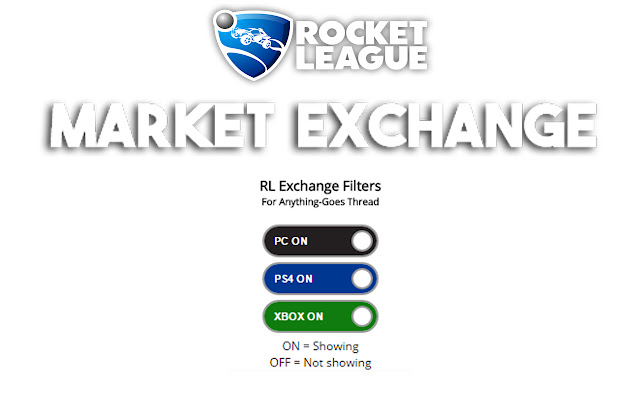
下载RocketLeagueExchange Anything-Goes Filter扩展crx文件
下载RocketLeagueExchange Anything-Goes Filter扩展crx格式的文件,手动将Chrome插件安装到浏览器中,也可以将crx文件分享给朋友,轻松安装Chrome插件。
扩展使用说明
                        At /r/RocketLeagueExchange/ (Reddit) we have a daily thread used to trade items from Rocket League for anything (things outside from the game) but every platform uses the same thread...

FEATURES:
Choose the platform you want to use to filter and it gonna be saved.
When you press to load a new page this new page comes filtered too.
Updates on fly, change the platform and the page gonna be updated without refresh.

TIP:
IF YOU LOAD A NEW PAGE AND NOTHING SHOW, PRESS TO LOAD AGAIN BECAUSE EVERYTHING LOADED WAS FILTERED AND THE EXTENSION DO NOT AUTO LOAD A NEW PAGE.
扩展基本信息
| 名称 |  RocketLeagueExchange Anything-Goes Filter RocketLeagueExchange Anything-Goes Filter |
| ID | jpehoahdklamkdlgdfkgkpognombkioo |
| 官方URL | https://chrome.google.com/webstore/detail/rocketleagueexchange-anyt/jpehoahdklamkdlgdfkgkpognombkioo |
| 简介 | Gonna filter by platform inside the /r/RocketLeagueExchange in Anything-Goes Thread |
| 文件大小 | 234 KB |
| 安装次数 | 72 |
| 当前版本 | 1.1.4 |
| 更新时间 | 2016-10-08 |
| 上架时间 | 2016-10-08 |
| 评分 | 5.00/5 共9次评分 |
| 开发者 | PedroGabriel |
| 付费类型 | free |
| 支持的语言 | en-US |
| manifest.json | |
{
    "update_url": "https:\/\/clients2.google.com\/service\/update2\/crx",
    "name": "RocketLeagueExchange Anything-Goes Filter",
    "description": "Gonna filter by platform inside the \/r\/RocketLeagueExchange in Anything-Goes Thread ",
    "version": "1.1.4",
    "manifest_version": 2,
    "icons": {
        "48": "icon48.png",
        "128": "icon128.png"
    },
    "content_scripts": [
        {
            "css": [
                "styles.css"
            ],
            "matches": [
                "*:\/\/*.reddit.com\/r\/RocketLeagueExchange\/comments*"
            ],
            "run_at": "document_idle",
            "js": [
                "jquery.min.js",
                "arrive.min.js",
                "spam_filter.js"
            ]
        }
    ],
    "browser_action": {
        "default_icon": "icon48.png",
        "default_popup": "popup.html"
    },
    "permissions": [
        "activeTab",
        "storage"
    ]
} | |