Chromemacs
The Hacker's Browser. Chromemacs provides keyboard shortcuts for navigation and control in the spirit of Vim.
什么是Chromemacs?
Chromemacs是由kazuya.maeda开发的Chrome扩展程序,该扩展的主要功能是“The Hacker's Browser. Chromemacs provides keyboard shortcuts for navigation and control in the spirit of Vim.”。
扩展截图
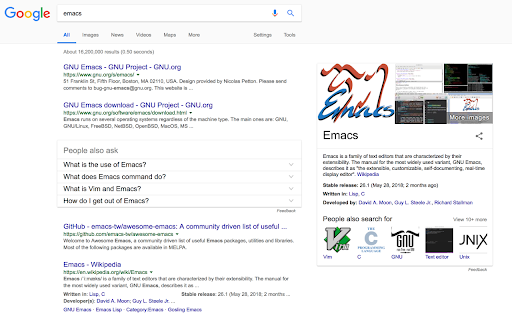
下载Chromemacs扩展crx文件
下载Chromemacs扩展crx格式的文件,手动将Chrome插件安装到浏览器中,也可以将crx文件分享给朋友,轻松安装Chrome插件。
扩展使用说明
                        Chromemacs is the chrome extension provides keyboard shortcuts for navigation and control in the spirit of Emacs. The source code is originally forked from Vimium. Pull-Requests are welcome and appreciated.

*NOTE* Google does not allow Chromemacs to run on this Chrome Web Store page and the Chrome New Tab page, by design. Sorry about that!

*NOTE* Chrome has some alarmist messaging around the permissions that Chromemacs needs to run. Really all it's asking for is that Chromemacs's javascript be loaded into every page. Don't be alarmed. Chromemacs never talks to any servers and does absolutely nothing with your data. Read the open source code if you're curious.

Privacy Policy:
https://maeda-kazuya.github.io/privacy-policy/

For more information about rebinding your keys and how to use many of Chromemacs's features, see here: https://github.com/maeda-kazuya/chromemacs/blob/master/README.md

Modifier keys are specified as , ,  for ctrl+x, meta+x, and alt+x respectively.

Navigating the current page:

           show the help dialog for a list of all available keys
           scroll left
           scroll down
           scroll up
           scroll right
         scroll to top of the page
         scroll to bottom of the page
           scroll down half a page
           scroll up half a page
      open a link in the current tab
      open a link in a new tab
           reload
           view source
      copy the current url to the clipboard
      copy a link url to the clipboard
    o      cycle forward to the next frame

Navigating to new pages:

      Open URL, bookmark, or history entry
      Open URL, bookmark, history entry in a new tab
      Open bookmark
      Open bookmark in a new tab

Using find:

           enter find mode
              -- type your search query and hit enter to search, or Esc to cancel
    n       cycle forward to the next find match
    N       cycle backward to the previous find match

For advanced usage, see [regular expressions](https://github.com/philc/vimium/wiki/Find-Mode) on the wiki.

Navigating your history:

           go back in history
           go forward in history

Manipulating tabs:

              go one tab left
              go one tab right
          go to the first tab
        go to the last tab
         create tab
    4         duplicate current tab
    0         close current tab
         restore closed tab (i.e. unwind the 'x' command)
    b         search through your open tabs
    5         move current tab to new window
              pin/unpin current tab

Using marks:

    ma, mA  set local mark "a" (global mark "A")
    `a, `A  jump to local mark "a" (global mark "A")
    ``      jump back to the position before the previous jump
              -- that is, before the previous gg, G, n, N, / or `a

Additional advanced browsing commands:

    ,
              Follow the link labeled 'next' or '>' ('previous' or '<')
              - helpful for browsing paginated sites
       open multiple links in a new tab
      focus the first (or n-th) text input box on the page
    <      go up one level in the URL hierarchy
    /      go up to root of the URL hierarchy
    <      scroll all the way left
    >      scroll all the way right

Chromemacs supports command repetition so, for example, hitting '5t' will open 5 tabs in rapid succession. ESC (or ) will clear any partial commands in the queue and will also exit insert and find modes.

Release notes, see:

- https://github.com/maeda-kazuya/chromemacs#release-notes
扩展基本信息
| 名称 |  Chromemacs Chromemacs |
| ID | kfdibhbheajeacnkkakomaliggbgndcf |
| 官方URL | https://chromewebstore.google.com/detail/chromemacs/kfdibhbheajeacnkkakomaliggbgndcf |
| 简介 | The Hacker's Browser. Chromemacs provides keyboard shortcuts for navigation and control in the spirit of Vim. |
| 文件大小 | 494 KB |
| 安装次数 | 674 |
| 当前版本 | 3.0.0 |
| 更新时间 | 2021-06-06 |
| 上架时间 | 2020-02-20 |
| 评分 | 4.50/5 共2次评分 |
| 开发者 | kazuya.maeda |
| 电子邮箱 | [email protected] |
| 付费类型 | free |
| 扩展官网 | https://github.com/maeda-kazuya/chromemacs |
| 帮助页面URL | https://github.com/maeda-kazuya/chromemacs/issues |
| 隐私政策页面URL | https://maeda-kazuya.github.io/privacy-policy |
| 支持的语言 | en-US |
| manifest.json | |
{
"update_url": "https:\/\/clients2.google.com\/service\/update2\/crx",
"manifest_version": 2,
"name": "Chromemacs",
"version": "3.0.0",
"description": "The Hacker's Browser. Chromemacs provides keyboard shortcuts for navigation and control in the spirit of Vim.",
"icons": {
"16": "icons\/icon16.png",
"48": "icons\/icon48.png",
"128": "icons\/icon128.png"
},
"minimum_chrome_version": "69.0",
"background": {
"scripts": [
"lib\/utils.js",
"lib\/settings.js",
"background_scripts\/bg_utils.js",
"background_scripts\/commands.js",
"background_scripts\/exclusions.js",
"background_scripts\/completion_engines.js",
"background_scripts\/completion_search.js",
"background_scripts\/completion.js",
"background_scripts\/marks.js",
"background_scripts\/main.js"
]
},
"options_ui": {
"page": "pages\/options.html",
"chrome_style": false,
"open_in_tab": true
},
"permissions": [
"tabs",
"bookmarks",
"history",
"clipboardRead",
"clipboardWrite",
"storage",
"sessions",
"notifications",
"webNavigation",
" | |