Notion AI Anywhere
notion-ai-anywhere
什么是Notion AI Anywhere?
Notion AI Anywhere是由whistleryz开发的Chrome扩展程序,该扩展的主要功能是“notion-ai-anywhere”。
扩展截图

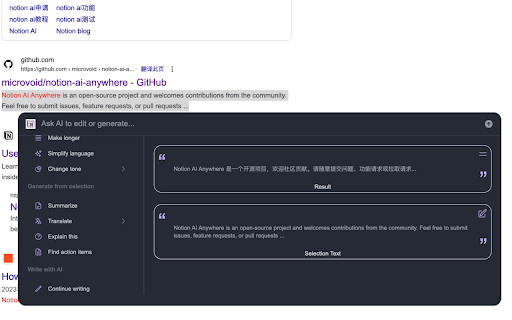
下载Notion AI Anywhere扩展crx文件
下载Notion AI Anywhere扩展crx格式的文件,手动将Chrome插件安装到浏览器中,也可以将crx文件分享给朋友,轻松安装Chrome插件。
扩展使用说明
                        参考文档:https://github.com/microvoid/notion-ai-anywhere

1. 安装该插件

2. 点击插件打开设置弹窗,如果你没有登录 Notion 会提示你去登录 Notion,然后再打开设置弹窗,选择一个 Notion 空间 (最好选择一个办理了 Notion AI Plus 的空间,否则使用次数受限)

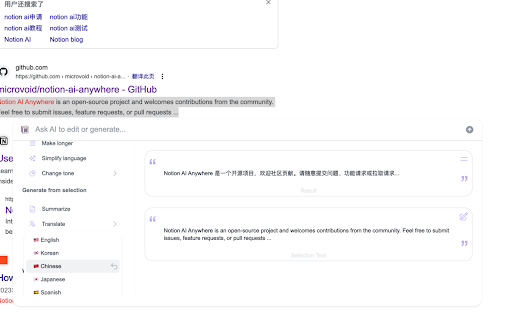
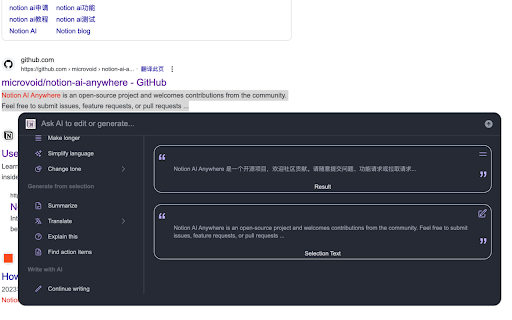
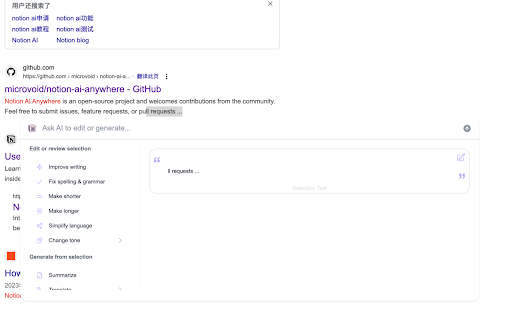
3. 现在,你可以刷新任何浏览器的页面,并选中一段内容,会有一个按钮(设置中可以关闭这个按钮,关闭后选择内容使用 cmd+k 唤起 AI 弹窗),点击就可以正常使用了。
扩展基本信息
| 名称 |  Notion AI Anywhere Notion AI Anywhere |
| ID | kifiejfehenpclioppfgjeginkeiaheb |
| 官方URL | https://chromewebstore.google.com/detail/notion-ai-anywhere/kifiejfehenpclioppfgjeginkeiaheb |
| 简介 | notion-ai-anywhere |
| 文件大小 | 502 KB |
| 安装次数 | 892 |
| 当前版本 | 1.1.8 |
| 更新时间 | 2023-04-19 |
| 上架时间 | 2023-03-31 |
| 评分 | 4.75/5 共4次评分 |
| 开发者 | whistleryz |
| 电子邮箱 | [email protected] |
| 付费类型 | free |
| 扩展官网 | https://github.com/microvoid/notion-ai-anywhere |
| 支持的语言 | en,fr |
| manifest.json | |
{
"update_url": "https:\/\/clients2.google.com\/service\/update2\/crx",
"icons": {
"16": "icon16.plasmo.00ac8b83.png",
"32": "icon32.plasmo.9ad0c5b6.png",
"48": "icon48.plasmo.cae3a6b3.png",
"64": "icon64.plasmo.e4b604fc.png",
"128": "icon128.plasmo.b89b7dfa.png"
},
"manifest_version": 3,
"action": {
"default_icon": {
"16": "icon16.plasmo.00ac8b83.png",
"32": "icon32.plasmo.9ad0c5b6.png",
"48": "icon48.plasmo.cae3a6b3.png",
"64": "icon64.plasmo.e4b604fc.png",
"128": "icon128.plasmo.b89b7dfa.png"
},
"default_popup": "popup.html"
},
"version": "1.1.8",
"author": "smackgg",
"name": "Notion AI Anywhere",
"description": "notion-ai-anywhere",
"background": {
"service_worker": "background.5fadff2f.js"
},
"permissions": [
"storage",
"scripting",
"activeTab"
],
"content_scripts": [
{
"matches": [
" | |