Quick Text Share
Quick Text Share provides an easy way to transfer text from computer to mobile.
什么是Quick Text Share?
Quick Text Share是由Sharabh Technologies Pvt Ltd开发的Chrome扩展程序,该扩展的主要功能是“Quick Text Share provides an easy way to transfer text from computer to mobile.”。
扩展截图
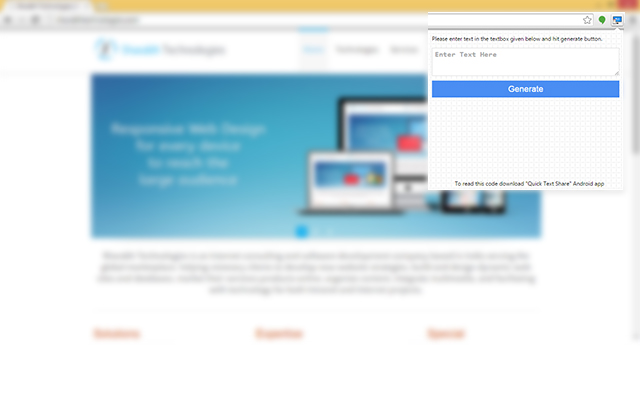
下载Quick Text Share扩展crx文件
下载Quick Text Share扩展crx格式的文件,手动将Chrome插件安装到浏览器中,也可以将crx文件分享给朋友,轻松安装Chrome插件。
扩展使用说明
                        Quick Text Share is most awaited package that simplifies your day to day task. Believe it or not you have faced this situation somewhere in your daily life when you want to share some data like name, phone number, email id, url or any other information from your computer to your mobile. In that situation, what you normally do, email it to your mobile phone, yes we all do the same thing before this application came in existence, but have you ever thought, how you will share that information if you don't have any working internet connection either in mobile or computer or both. Quick Text Share extension comes to rescue. Just install it and experience a new way to share data without any internet connection.

 --Features--
-> Quick support
-> Interactive UI
-> Small size
-> Works without Internet
扩展基本信息
| 名称 |  Quick Text Share Quick Text Share |
| ID | kjccmaifbigomiimgkjoikakbghldgoa |
| 官方URL | https://chrome.google.com/webstore/detail/quick-text-share/kjccmaifbigomiimgkjoikakbghldgoa |
| 简介 | Quick Text Share provides an easy way to transfer text from computer to mobile. |
| 文件大小 | 160 KB |
| 安装次数 | 75 |
| 当前版本 | 1.0.1 |
| 更新时间 | 2014-11-07 |
| 上架时间 | 2014-11-07 |
| 评分 | 3.67/5 共3次评分 |
| 开发者 | Sharabh Technologies Pvt Ltd |
| 付费类型 | free |
| 扩展官网 | http://www.quicktextshare.com |
| 支持的语言 | en-US |
| manifest.json | |
{
    "update_url": "https:\/\/clients2.google.com\/service\/update2\/crx",
    "manifest_version": 2,
    "name": "Quick Text Share",
    "version": "1.0.1",
    "description": "Quick Text Share provides an easy way to transfer text from computer to mobile.",
    "browser_action": {
        "default_title": "Quick Text Share",
        "default_icon": "icon.png",
        "default_popup": "popup.html"
    },
    "icons": {
        "16": "icon_1.png",
        "48": "icon_2.png",
        "128": "icon_3.png"
    },
    "background": {
        "scripts": [
            "sample.js"
        ]
    },
    "permissions": [
        "contextMenus",
        "tabs",
        "http:\/\/*\/*",
        "https:\/\/*\/*"
    ]
} | |