IITG AutoLogin++
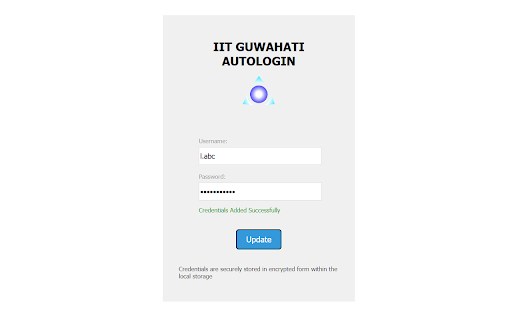
Automatically log into the IITG network with this extension. No more manual logins or keeping tabs open every time!
什么是IITG AutoLogin++?
IITG AutoLogin++是由samuellaskar3开发的Chrome扩展程序,该扩展的主要功能是“Automatically log into the IITG network with this extension. No more manual logins or keeping tabs open every time!”。
扩展截图


下载IITG AutoLogin++扩展crx文件
下载IITG AutoLogin++扩展crx格式的文件,手动将Chrome插件安装到浏览器中,也可以将crx文件分享给朋友,轻松安装Chrome插件。
扩展使用说明
                        Automatically log into the IITG network with this extension. No more manual logins or keeping tabs open every time!

Additional Features:
1. Encrypts your email and password before storing on local storage.
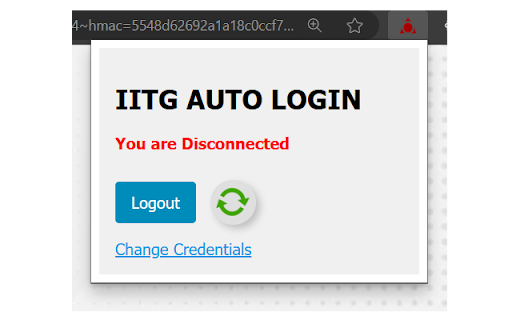
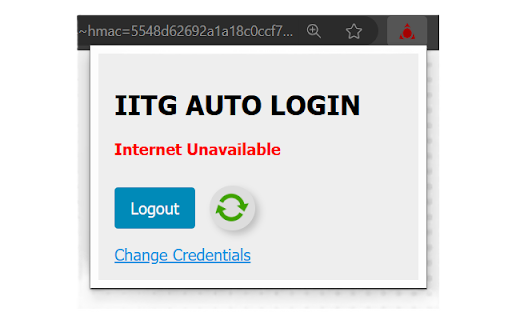
2. Displays possible reason for authentication failure.
3. Icons changes based on login and internet access status.

Note: The extension is opensource and all contributions are welcome.
GitHub URL: https://github.com/Samuel-Aktar-Laskar/IITG-Auto-Login-Extension
扩展基本信息
| 名称 |  IITG AutoLogin++ IITG AutoLogin++ |
| ID | laoonocbajmmlbobelmlcejplifbigli |
| 官方URL | https://chromewebstore.google.com/detail/iitg-autologin++/laoonocbajmmlbobelmlcejplifbigli |
| 简介 | Automatically log into the IITG network with this extension. No more manual logins or keeping tabs open every time! |
| 文件大小 | 49.59 KB |
| 安装次数 | 332 |
| 当前版本 | 1.0 |
| 更新时间 | 2024-01-09 |
| 上架时间 | 2024-01-09 |
| 开发者 | samuellaskar3 |
| 电子邮箱 | [email protected] |
| 付费类型 | free |
| 隐私政策页面URL | https://aktarcompany.blogspot.com/2024/01/iitg-autologin-privacy-policy.html |
| 支持的语言 | en |
| manifest.json | |
{
    "update_url": "https:\/\/clients2.google.com\/service\/update2\/crx",
    "manifest_version": 3,
    "name": "IITG AutoLogin++",
    "description": "Automatically log into the IITG network with this extension. No more manual logins or keeping tabs open every time!",
    "version": "1.0",
    "background": {
        "service_worker": "background.js",
        "type": "module"
    },
    "action": {
        "default_popup": "Popup.html"
    },
    "options_page": "Options.html",
    "permissions": [
        "storage",
        "offscreen"
    ],
    "host_permissions": [
        "https:\/\/agnigarh.iitg.ac.in:1442\/*"
    ],
    "icons": {
        "128": "Icons\/icon_active2.png"
    }
} | |