Youtube Connect
Control Youtube with other devices.
什么是Youtube Connect?
Youtube Connect是由Ameya Thakur开发的Chrome扩展程序,该扩展的主要功能是“Control Youtube with other devices.”。
扩展截图

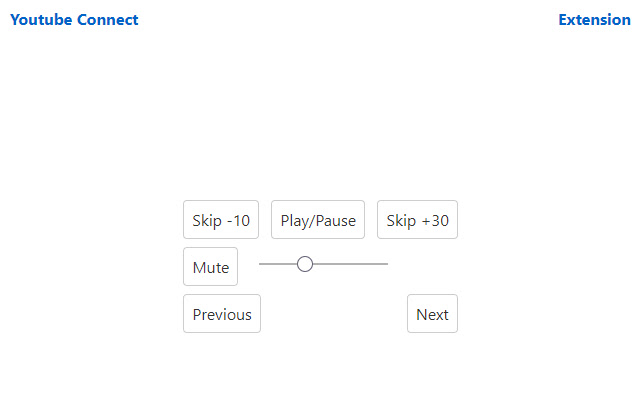
下载Youtube Connect扩展crx文件
下载Youtube Connect扩展crx格式的文件,手动将Chrome插件安装到浏览器中,也可以将crx文件分享给朋友,轻松安装Chrome插件。
扩展使用说明
                        Simply install the extension and open a Youtube video or playlist. A new button will be added to the settings bar of your video. Enable Youtube Connect and either scan the QR code or open the remote application and enter the 8 word mnemonic to connect to your session. This is a side project and is not perfect, but good enough for most use. Feel free to view the source and make contributions if you wish (or fork the project).

If Youtube connect is not enabling in the player, it likely means that the API server has shut down. If that occurs and you need to continue using the extension, you may modify the extension to use an API server you run yourself (based on the available source code).
扩展基本信息
| 名称 |  Youtube Connect Youtube Connect |
| ID | lgfgmmnhfecoppibekiekkhncickeoki |
| 官方URL | https://chrome.google.com/webstore/detail/youtube-connect/lgfgmmnhfecoppibekiekkhncickeoki |
| 简介 | Control Youtube with other devices. |
| 文件大小 | 21.96 KB |
| 安装次数 | 28 |
| 当前版本 | 0.1.2 |
| 更新时间 | 2021-01-22 |
| 上架时间 | 2020-07-22 |
| 开发者 | Ameya Thakur |
| 电子邮箱 | [email protected] |
| 付费类型 | free |
| 扩展官网 | https://youtubeconnect.ameyathakur.com |
| 支持的语言 | en |
| manifest.json | |
{
    "update_url": "https:\/\/clients2.google.com\/service\/update2\/crx",
    "manifest_version": 2,
    "name": "Youtube Connect",
    "version": "0.1.2",
    "author": "Ameya Thakur",
    "homepage_url": "https:\/\/youtubeconnect.ameyathakur.com",
    "description": "Control Youtube with other devices.",
    "content_security_policy": "default-src 'self'",
    "icons": {
        "48": "icons\/icon.png",
        "96": "icons\/[email protected]",
        "128": "icons\/packageicon128.png"
    },
    "content_scripts": [
        {
            "matches": [
                "*:\/\/*.youtube.com\/*"
            ],
            "js": [
                "browser-polyfill.min.js",
                "wordlist.js",
                "ytconnect.js"
            ],
            "css": [
                "styles.css"
            ]
        }
    ],
    "permissions": [
        "storage",
        "https:\/\/api.youtubeconnect.ameyathakur.com\/*"
    ]
} | |