NTUWLogin Bot
This extension helps you login to the NTUWL wireless network automatically.
什么是NTUWLogin Bot?
NTUWLogin Bot是由Jianfeng开发的Chrome扩展程序,该扩展的主要功能是“This extension helps you login to the NTUWL wireless network automatically.”。
扩展截图


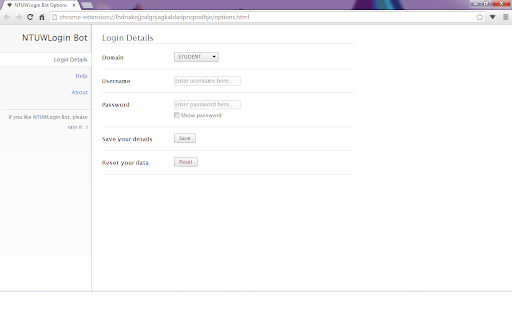
下载NTUWLogin Bot扩展crx文件
下载NTUWLogin Bot扩展crx格式的文件,手动将Chrome插件安装到浏览器中,也可以将crx文件分享给朋友,轻松安装Chrome插件。
扩展使用说明
                        This tiny extension helps you use the NTUWL wireless network in a very convenient way.

Update in 1.2.1. Suggestions for feedback is added to About page.

Update in 1.2.0. Log in address modified to be able to work for more situations.  For example, It will work with wifi near Chinese Library, too.

Every time you are redirected to the login page of NTUWL, NTUWLogin Bot will automatically fill in the form, login for you, and redirect you back.

Just fill in your login details in the options and let NTUWLogin Bot help you.

Btw, NTUWLogin Bot will definitely NOT store your personal information. All your data will be store locally on your computer.
扩展基本信息
| 名称 |  NTUWLogin Bot NTUWLogin Bot |
| ID | lhdnakojjcalgnjagkaldadpncpodhje |
| 官方URL | https://chromewebstore.google.com/detail/ntuwlogin-bot/lhdnakojjcalgnjagkaldadpncpodhje |
| 简介 | This extension helps you login to the NTUWL wireless network automatically. |
| 文件大小 | 54.62 KB |
| 安装次数 | 111 |
| 当前版本 | 1.2.1 |
| 更新时间 | 2014-06-07 |
| 上架时间 | 2014-06-06 |
| 评分 | 4.57/5 共7次评分 |
| 开发者 | Jianfeng |
| 付费类型 | free |
| 支持的语言 | en |
| manifest.json | |
{
    "update_url": "https:\/\/clients2.google.com\/service\/update2\/crx",
    "manifest_version": 2,
    "name": "NTUWLogin Bot",
    "description": "This extension helps you login to the NTUWL wireless network automatically.",
    "version": "1.2.1",
    "background": {
        "scripts": [
            "js\/background.js"
        ],
        "persistent": false
    },
    "permissions": [
        "http:\/\/*\/*",
        "https:\/\/*\/*",
        "webNavigation",
        "tabs"
    ],
    "options_page": "options.html",
    "icons": {
        "48": "images\/icon-48.png",
        "128": "images\/icon-128.png"
    },
    "browser_action": {
        "default_icon": {
            "19": "images\/icon-19.png",
            "38": "images\/icon-38.png"
        },
        "default_popup": "popup.html"
    }
} | |