My Cloud Player
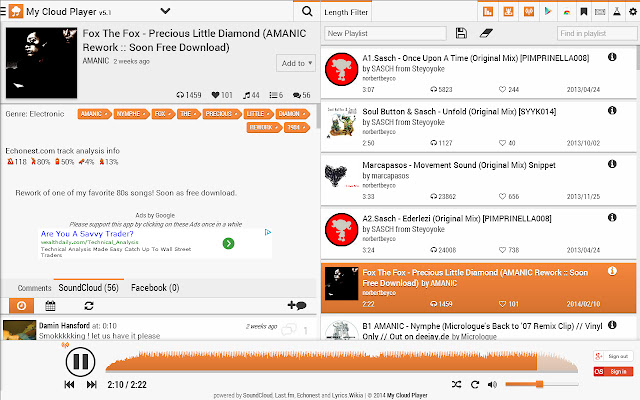
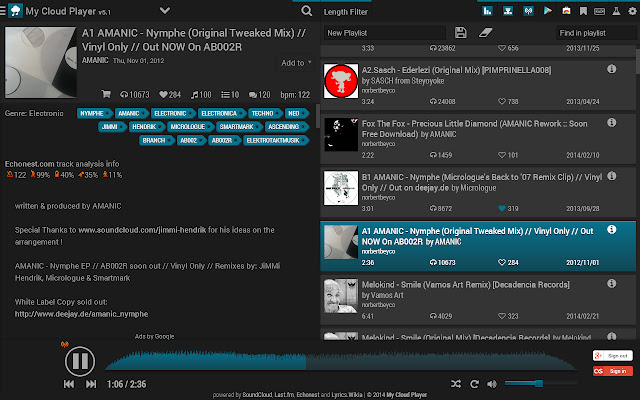
Online music player. Play your favorite music anywhere, anytime and Extend your SoundCloud music experience.
什么是My Cloud Player?
My Cloud Player是由http://mycloudplayers.com开发的Chrome扩展程序,该扩展的主要功能是“Online music player. Play your favorite music anywhere, anytime and Extend your SoundCloud music experience.”。
扩展截图
下载My Cloud Player扩展crx文件
下载My Cloud Player扩展crx格式的文件,手动将Chrome插件安装到浏览器中,也可以将crx文件分享给朋友,轻松安装Chrome插件。
扩展使用说明
                        Web based music player, integrated almost 100% with SoundCloud features.

Extension Features:
Inserts 2 buttons on any SoundClood track anywhere on the web.
- Listen on My Cloud Player
- Add track to playlist

- Next.SoundCloud.com support.
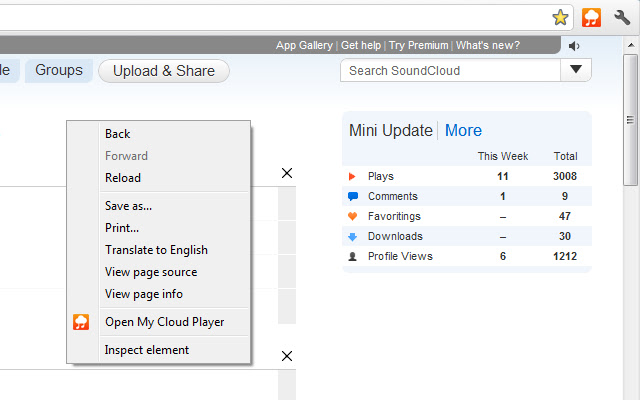
- Extra Context menu item for links to SoundCloud.com

- Global Media Keys Shortcuts Support from any tab (Play/Pause/Stop/Next/Prev)
- Global Shortcuts Support from any tab
  (Ctrl + /) - Play/Pause
  (Ctrl + ,) - Prev
  (Ctrl + .) - Next
 * Chrome Browser needs to be in focus

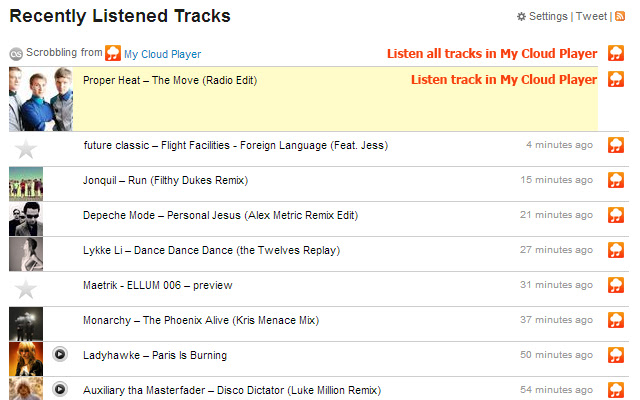
Inserts buttons on Last.fm track resent history/charts pages.
- listen / listen all on My Cloud Player


Works like bookmarklet:
On SoundCloud page, clicking the toolbar icon will open the content in My Cloud Player.


My Cloud Player is powered by SoundCloud, Last.fm, EchoNest and Lyrics.Wikia.com
扩展基本信息
| 名称 |  My Cloud Player My Cloud Player |
| ID | lknifikfkjjpclpholpdemhogkifnaca |
| 官方URL | https://chrome.google.com/webstore/detail/my-cloud-player/lknifikfkjjpclpholpdemhogkifnaca |
| 简介 | Online music player. Play your favorite music anywhere, anytime and Extend your SoundCloud music experience. |
| 文件大小 | 22.58 KB |
| 安装次数 | 3,079 |
| 当前版本 | 2.83 |
| 更新时间 | 2014-03-03 |
| 上架时间 | 2014-03-03 |
| 评分 | 4.36/5 共101次评分 |
| 开发者 | http://mycloudplayers.com |
| 付费类型 | free |
| 扩展官网 | http://mycloudplayers.com |
| 支持的语言 | en |
| manifest.json | |
{
    "update_url": "https:\/\/clients2.google.com\/service\/update2\/crx",
    "name": "My Cloud Player",
    "description": "Online music player. Play your favorite music anywhere, anytime and Extend your SoundCloud music experience.",
    "version": "2.83",
    "icons": {
        "16": "mcp16.png",
        "48": "mcp48.png",
        "128": "mcp128.png"
    },
    "browser_action": {
        "default_icon": "icon.png"
    },
    "permissions": [
        "contextMenus",
        "notifications",
        "tabs",
        "*:\/\/*\/*"
    ],
    "background": {
        "scripts": [
            "extension.js"
        ]
    },
    "web_accessible_resources": [
        "contentpage.css"
    ],
    "content_scripts": [
        {
            "js": [
                "mcpkeys.js"
            ],
            "css": [
                "contentpage.css"
            ],
            "matches": [
                "*:\/\/*\/*"
            ]
        }
    ],
    "content_security_policy": "script-src 'self' https:\/\/ssl.google-analytics.com; object-src 'self'",
    "manifest_version": 2
} | |