WWPass Authentication
WWPass authentication extension for Google Chrome
什么是WWPass Authentication?
WWPass Authentication是由https://wwpass.com开发的Chrome扩展程序,该扩展的主要功能是“WWPass authentication extension for Google Chrome”。
扩展截图
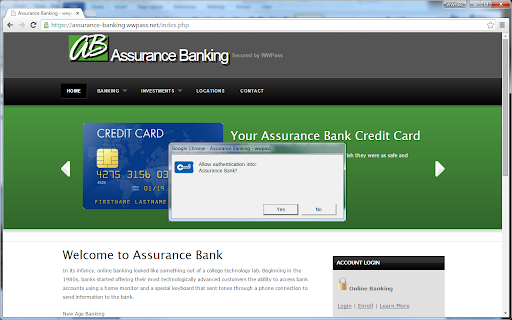
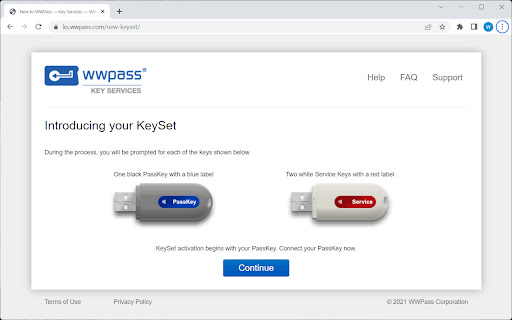
下载WWPass Authentication扩展crx文件
下载WWPass Authentication扩展crx格式的文件,手动将Chrome插件安装到浏览器中,也可以将crx文件分享给朋友,轻松安装Chrome插件。
扩展使用说明
                        The extension connects the Chrome browser to the WWPass Hardware token (USB or smart card) for passwordless Multifactor Authentication (MFA) and client-side encryption. WWPass native application is required for the extension to operate. See https://ks.wwpass.com/, WWPass Key Services site for details.


With the WWPass software bundle installed on a computer, the extension suggests a user to connect the WWPass crypto token, detects the presence of the token, and starts the user authentication.
扩展基本信息
| 名称 |  WWPass Authentication WWPass Authentication |
| ID | miehnmafplejcppinokgfmlhkkfdalgi |
| 官方URL | https://chromewebstore.google.com/detail/wwpass-authentication/miehnmafplejcppinokgfmlhkkfdalgi |
| 简介 | WWPass authentication extension for Google Chrome |
| 文件大小 | 11.07 KB |
| 安装次数 | 88 |
| 当前版本 | 1.0.9 |
| 更新时间 | 2024-01-11 |
| 上架时间 | 2023-03-29 |
| 开发者 | https://wwpass.com |
| 电子邮箱 | [email protected] |
| 付费类型 | free |
| 扩展官网 | https://ks.wwpass.com/ |
| 支持的语言 | en |
| manifest.json | |
{
    "update_url": "https:\/\/clients2.google.com\/service\/update2\/crx",
    "manifest_version": 3,
    "name": "WWPass Authentication",
    "description": "WWPass authentication extension for Google Chrome",
    "version": "1.0.9",
    "default_locale": "en",
    "key": "MIIBIjANBgkqhkiG9w0BAQEFAAOCAQ8AMIIBCgKCAQEAmeeNXSMV+ASD+bk1vWDu74h+ObdIxou\/LjMpFB\/kQ1DGWCLPaZJ7T3tEMuGYNiP2ztMUEyuMz01vi3pnx+hP\/+6I75b7ssUonQgba+Do+5RZSC2Dk6vq1cmdqI5vTxnrzwzNw6hv5rjARLrkEs5axj\/HQUCxeZMqiBr4L\/FpFno6Xq7F7ctRWiarASVJfeS4xwrxFruwiQurCrIwnKexGhRga1pKBpFX\/8tXg34aOKfiuMn8MjJ6Jj5G8976PTBtW153wR+mBOyR3XP1cuDjaSpL9KNF3sZKh9Sz6u1Qc81Ggy+5XTdGixZzDddtmo+IHpUONF1VYs14Wcr5zvLN7QIDAQAB",
    "icons": {
        "128": "images\/logo-128.png"
    },
    "permissions": [
        "nativeMessaging"
    ],
    "background": {
        "service_worker": "background.js"
    },
    "content_scripts": [
        {
            "matches": [
                "http:\/\/*\/*",
                "https:\/\/*\/*",
                "file:\/\/\/*"
            ],
            "js": [
                "plugin.js"
            ]
        }
    ]
} | |