Amazopen - Price Tracker and Product Rating
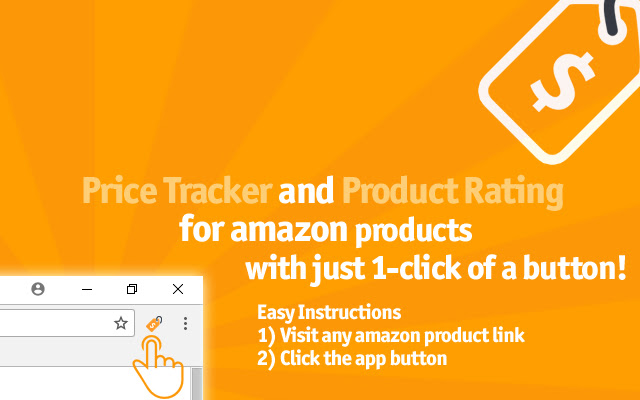
Check the price history and product rating of any Amazon product with just one-click. Easy to use and completely FREE!
什么是Amazopen - Price Tracker and Product Rating?
Amazopen - Price Tracker and Product Rating是由Shopping开发的Chrome扩展程序,该扩展的主要功能是“Check the price history and product rating of any Amazon product with just one-click. Easy to use and completely FREE!”。
扩展截图

下载Amazopen - Price Tracker and Product Rating扩展crx文件
下载Amazopen - Price Tracker and Product Rating扩展crx格式的文件,手动将Chrome插件安装到浏览器中,也可以将crx文件分享给朋友,轻松安装Chrome插件。
扩展使用说明
                        Adds a shortcut to view price history and product review rating of any amazon product.

Key Features:
✜ Price History - Price History for Millions Amazon Products.
✜ Product Review Rating - Product Rating Review Analyzer Report
✜ No account needed. Just install and start saving money.

Now you can select whether you want the price history or product rating only under the option settings.

This add-on is not affiliated with amazon.com
扩展基本信息
| 名称 |  Amazopen - Price Tracker and Product Rating Amazopen - Price Tracker and Product Rating |
| ID | mkoboabdaahifapdmlecfcbfoihmkcea |
| 官方URL | https://chrome.google.com/webstore/detail/amazopen-price-tracker-an/mkoboabdaahifapdmlecfcbfoihmkcea |
| 简介 | Check the price history and product rating of any Amazon product with just one-click. Easy to use and completely FREE! |
| 文件大小 | 25.55 KB |
| 安装次数 | 3,000 |
| 当前版本 | 1.71 |
| 更新时间 | 2022-04-09 |
| 上架时间 | 2018-12-24 |
| 评分 | 4.00/5 共8次评分 |
| 开发者 | Shopping |
| 电子邮箱 | [email protected] |
| 付费类型 | free |
| 扩展官网 | https://www.amazopen.com |
| 支持的语言 | en |
| manifest.json | |
{
    "update_url": "https:\/\/clients2.google.com\/service\/update2\/crx",
    "name": "Amazopen - Price Tracker and Product Rating",
    "version": "1.71",
    "manifest_version": 2,
    "description": "Check the price history and product rating of any Amazon product with just one-click. Easy to use and completely FREE!",
    "background": {
        "scripts": [
            "background.js"
        ]
    },
    "icons": {
        "16": "icon16.png",
        "48": "icon48.png",
        "128": "icon128.png"
    },
    "options_ui": {
        "page": "options.html",
        "chrome_style": true
    },
    "browser_action": {
        "default_icon": "logo.png"
    },
    "permissions": [
        "storage",
        "activeTab"
    ]
} | |