Meetup Tools
Enhancments for meetup.com
什么是Meetup Tools?
Meetup Tools是由guya.net开发的Chrome扩展程序,该扩展的主要功能是“Enhancments for meetup.com”。
扩展截图
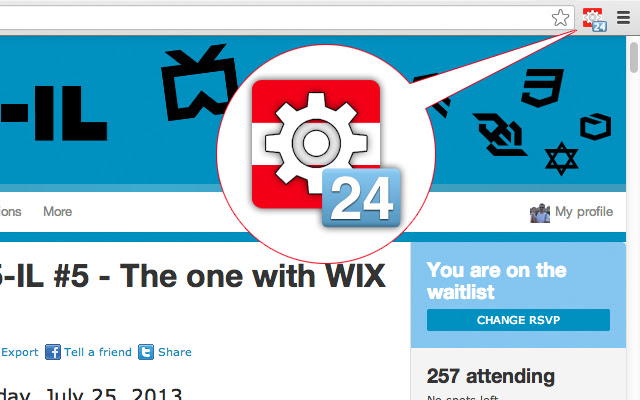
下载Meetup Tools扩展crx文件
下载Meetup Tools扩展crx格式的文件,手动将Chrome插件安装到浏览器中,也可以将crx文件分享给朋友,轻松安装Chrome插件。
扩展使用说明
                        Meetup Tools is a small extension that is meant to enhance your meetup.com experience, and mainly does 3 things:
1. It shows you your place in the queue while on the waiting list.
2. It shows you your status for every meetup.
3. It takes you to meetup.com with one click.

Meetup.com Waitlists are almost always first come first serve.
When you are on the waitlist, Meetup.com doesn't tell what is your position in the queue.
This extension will tell you where you are in the queue so you'll be able to better estimate your chances of getting in.
Browse any meetup and it'll show you your current status.
If you are not in the meetup.com website, clicking the icon will take you there.

:)
扩展基本信息
| 名称 |  Meetup Tools Meetup Tools |
| ID | okfdhdfbdobnclkegpfpepihhbbmapcj |
| 官方URL | https://chrome.google.com/webstore/detail/meetup-tools/okfdhdfbdobnclkegpfpepihhbbmapcj |
| 简介 | Enhancments for meetup.com |
| 文件大小 | 60.96 KB |
| 安装次数 | 200 |
| 当前版本 | 1.0.2 |
| 更新时间 | 2018-04-15 |
| 上架时间 | 2018-04-15 |
| 评分 | 3.00/5 共5次评分 |
| 开发者 | guya.net |
| 付费类型 | free |
| 支持的语言 | en-US |
| manifest.json | |
{
    "update_url": "https:\/\/clients2.google.com\/service\/update2\/crx",
    "name": "Meetup Tools",
    "version": "1.0.2",
    "description": "Enhancments for meetup.com",
    "background": {
        "scripts": [
            "meetup.js"
        ]
    },
    "permissions": [
        "*:\/\/*.meetup.com\/*",
        "webNavigation",
        "tabs",
        "notifications"
    ],
    "browser_action": {
        "default_icon": "logo_19.png"
    },
    "web_accessible_resources": [
        "logo_48.png"
    ],
    "content_scripts": [
        {
            "matches": [
                "*:\/\/*.meetup.com\/*"
            ],
            "js": [
                "jquery-1.10.2.min.js",
                "content.js"
            ],
            "run_at": "document_end",
            "all_frames": false
        }
    ],
    "icons": {
        "48": "logo_48.png",
        "128": "logo_128.png"
    },
    "manifest_version": 2
} | |