Chrome Board
Simple Behavior Management for Classrooms
什麼是Chrome Board?
Chrome Board是由Edu Mission開發的Chrome擴展程式,該擴展的主要功能是“Simple Behavior Management for Classrooms”。
擴展截圖


下載Chrome Board擴展crx文件
下載Chrome Board擴展crx格式的文件,手動將Chrome擴充功能安裝到瀏覽器中,也可以將crx文件分享給朋友,輕鬆安裝Chrome擴充功能。
擴展使用說明
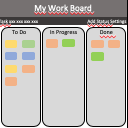
                        - Record Positive & Negative Conduct Points during lessons on a virtual 'board'.
- Whenever a point is awarded, the 'board' is shown on your projector for a few seconds.
- If a student gets 3 Negative Points in a Lesson, an email is sent to your school's behavior team (and CC'd to you).
- At the end of a Lesson, a scoreboard is shown on your projector which shows how many points students in this Class have scored so far.
- When it's time to save points into SIMS, Chrome Board groups awarded points together so you can enter the data as efficiently as possible: up to 10x faster than without the app.
擴展基本資訊
| 名稱 |  Chrome Board Chrome Board |
| ID | acmlfhajpjeaajhphbhlphejkffffbmo |
| 官方網址 | https://chrome.google.com/webstore/detail/chrome-board/acmlfhajpjeaajhphbhlphejkffffbmo |
| 簡介 | Simple Behavior Management for Classrooms |
| 檔案大小 | 34.36 KB |
| 安裝次數 | 84 |
| 目前版本 | 1.6 |
| 更新時間 | 2015-06-08 |
| 上架時間 | 2015-06-08 |
| 開發者 | Edu Mission |
| 付費類型 | free |
| 擴展官網 | https://namesonboard.herokuapp.com |
| 支援的語言 | en |
| manifest.json | |
{
    "update_url": "https:\/\/clients2.google.com\/service\/update2\/crx",
    "manifest_version": 2,
    "name": "Chrome Board",
    "version": "1.6",
    "icons": {
        "16": "icons\/icon16.png",
        "32": "icons\/icon32.png",
        "48": "icons\/icon48.png",
        "128": "icons\/icon128.png"
    },
    "default_locale": "en",
    "description": "Simple Behavior Management for Classrooms",
    "author": "Edu Mission",
    "background": {
        "page": "background.html",
        "persistent": true
    },
    "content_scripts": [
        {
            "js": [
                "scripts\/contentscript.js"
            ],
            "matches": [
                "https:\/\/namesonboard.herokuapp.com\/*"
            ]
        }
    ],
    "permissions": [
        "tabs",
        "contentSettings",
        "storage",
        "background"
    ],
    "web_accessible_resources": [
        "scripts\/inject.js"
    ]
} | |