Search Tabs
Search bookmarks & Change Tab's background image.
什麼是Search Tabs?
Search Tabs是由illidan.tld開發的Chrome擴展程式,該擴展的主要功能是“Search bookmarks & Change Tab's background image.”。
擴展截圖

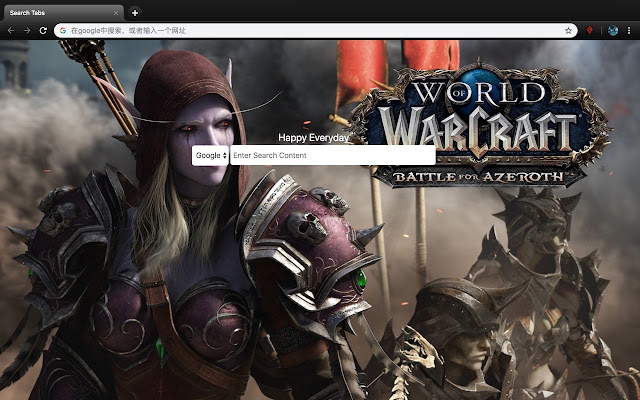
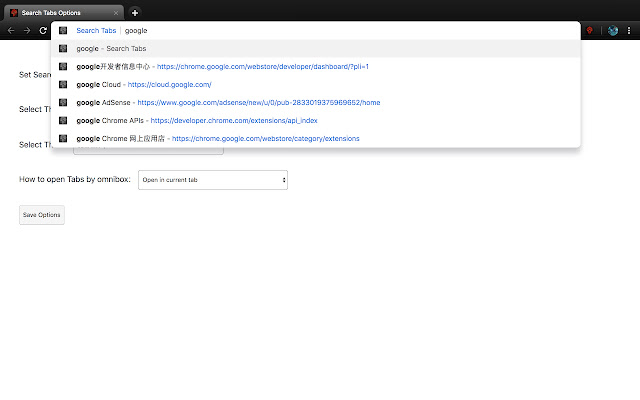

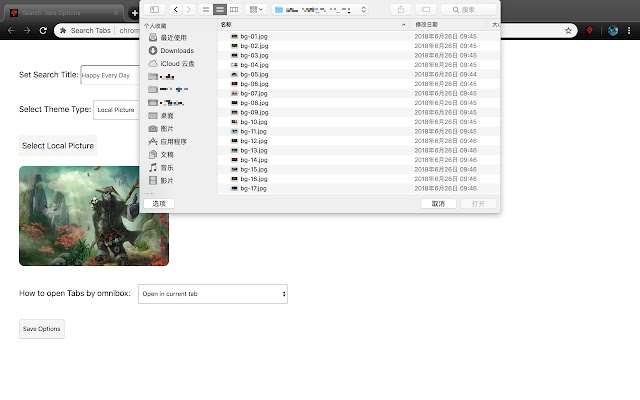
下載Search Tabs擴展crx文件
下載Search Tabs擴展crx格式的文件,手動將Chrome擴充功能安裝到瀏覽器中,也可以將crx文件分享給朋友,輕鬆安裝Chrome擴充功能。
擴展使用說明
                        Search Tabs

You can search all of your bookmarks, type "ss" in the search box, and press the "Tab" button to enter the Search Tabs's search box. You can enter keywords to search all bookmarks.
你可以搜索你的所有书签,在搜索框中输入“ss”,然后按“Tab”键,可以进入Search Tabs's的搜索框,可以输入关键词搜索所有书签。

You can manage the background image of the new tab. In Search Tabs, you have 4 options: default, online default, local image, online image.

Default: The default background image.

Online default: The online background image provided by the plugin, there are two sets of default image combinations, namely: World of Warcraft, Dota.

Local image: You can choose an image stored on your computer that is less than 5M in size.

Online image: You can set the url path of an online image as the background image of your new tab page. Of course, you can also set the url path of the mp4 video that the video tag can recognize in Html, and use the video as the background of the new tab page.

你可以管理新的标签页的背景图,在Search Tabs中,你有4个选项:default、online default、local image、online image。
default:默认的背景图。
online default:插件提供的在线背景图,有两组默认图片组合,分别是:魔兽世界、Dota。
local image:你可以选择你电脑上存储的一张图片,大小小于5M。
online image:你可以设置一张网上图片的url path,作为你新标签页的背景图,当然,你也可以设置Html中video标签能识别的mp4视频的url path,把视频作为新标签页的背景。
擴展基本資訊
| 名稱 |  Search Tabs Search Tabs |
| ID | bbcdcpemehepaeaamjihokdjmdoigdoa |
| 官方網址 | https://chrome.google.com/webstore/detail/search-tabs/bbcdcpemehepaeaamjihokdjmdoigdoa |
| 簡介 | Search bookmarks & Change Tab's background image. |
| 檔案大小 | 349 KB |
| 安裝次數 | 46 |
| 目前版本 | 1.2.1 |
| 更新時間 | 2018-12-30 |
| 上架時間 | 2018-12-30 |
| 開發者 | illidan.tld |
| 電子郵箱 | [email protected] |
| 付費類型 | free |
| 支援的語言 | en |
| manifest.json | |
{
    "update_url": "https:\/\/clients2.google.com\/service\/update2\/crx",
    "version": "1.2.1",
    "description": "Search bookmarks & Change Tab's background image.",
    "manifest_version": 2,
    "name": "Search Tabs",
    "short_name": "Search Tabs",
    "options_page": "options.html",
    "icons": {
        "16": "image\/16.png",
        "32": "image\/32.png",
        "48": "image\/48.png",
        "128": "image\/128.png"
    },
    "permissions": [
        "bookmarks",
        "tabs",
        "storage"
    ],
    "omnibox": {
        "keyword": "ss"
    },
    "browser_action": {
        "default_title": "Bookmarks & Tabs",
        "default_icon": "image\/128.png"
    },
    "background": {
        "scripts": [
            "js\/background.js"
        ],
        "persistent": false
    },
    "chrome_url_overrides": {
        "newtab": "index.html"
    }
} | |