Clear history, cache and cookies for Chrome ™
Clear history, cache and cookies in one click. Make Chrome browser go fast! - Browser cleaner
什麼是Clear history, cache and cookies for Chrome ™?
Clear history, cache and cookies for Chrome ™是由MetaAlpha Studio開發的Chrome擴展程式,該擴展的主要功能是“Clear history, cache and cookies in one click. Make Chrome browser go fast! - Browser cleaner”。
擴展截圖

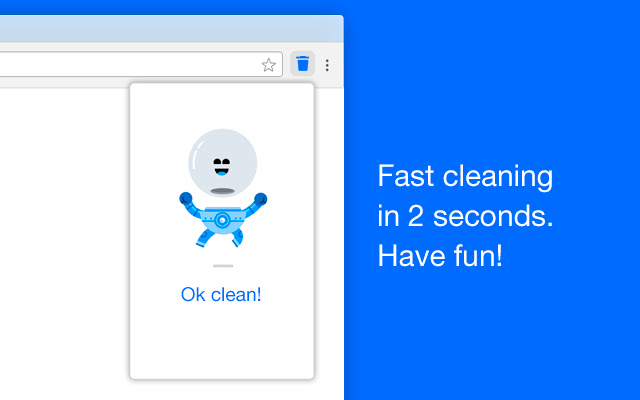
下載Clear history, cache and cookies for Chrome ™擴展crx文件
下載Clear history, cache and cookies for Chrome ™擴展crx格式的文件,手動將Chrome擴充功能安裝到瀏覽器中,也可以將crx文件分享給朋友,輕鬆安裝Chrome擴充功能。
擴展使用說明
                        This extension can clear or remove:

- Browsing history.
- All cache (select time).
- All cookies.
- All download history.

This extension does not remove:

- No remove autofill form data.
- No clear Stored password.
- No clear local filesystem and storage.
- No clear applications cache.
- No remove plugin data.
- No clear WebSQL and IndexedDB data.


Why use this extension?

1. Enhance system and application performance.

The cache slows down your systems and applications, due to the RAM and memory it acquires. Many a times it is filled with crap information, which probably will not be required by the user in future.

The prime purpose is to improve the performance by reducing the data processing and fetching.  With a sizeable amount of cache stored, the speed and performance of machine is hampered.

Enhancing system and application performance is one of the benefits of clearing cache.

2. New updated version of page is fetched.

As discussed earlier, the stored instance of webpage will be loaded. Any changes, in case, made to the webpage will not be reflected due to cache. That’s why the developers always insist on clearing the cache memory to see the changes they have implemented.

Clearing cache will signigfy the browser to fetch the latest version of webpage.

3. Privacy threat mitigated.

The cache can also store private data of some websites eg. Login credentials, mobile numbers, etc. In case of using a public computer, the next user can get access to your sensitive or personal information.

Take the example of Facebook, you have logged-in on a public machine and didn’t logout at end of your session. The person accessing the device next can get access to your Facebook account. This raises a privacy threat.

Also in other instances where you are worried about your privacy, deleting cache is a great option. It reduces the privacy threat for you.

This extension is compatible with Chrome browser under Windows, Mac, Linux and other operating systems.

Other browsers compatible with this tool are Firefox, Safari and Opera.
擴展基本資訊
| 名稱 |  Clear history, cache and cookies for Chrome ™ Clear history, cache and cookies for Chrome ™ |
| ID | cakkgjilijphcjidigenbhegiajbaocp |
| 官方網址 | https://chrome.google.com/webstore/detail/clear-history-cache-and-c/cakkgjilijphcjidigenbhegiajbaocp |
| 簡介 | Clear history, cache and cookies in one click. Make Chrome browser go fast! - Browser cleaner |
| 檔案大小 | 1.67 MB |
| 安裝次數 | 10,000 |
| 目前版本 | 3.3 |
| 更新時間 | 2022-07-26 |
| 上架時間 | 2020-03-27 |
| 評分 | 4.22/5 共 23 次評分 |
| 開發者 | MetaAlpha Studio |
| 電子郵箱 | [email protected] |
| 付費類型 | free |
| 支援的語言 | id,ms,de,en,en-GB,en-US,fil,fr,nl,no,vi,tr,ca,da,et,es,es-419,hr,it,lv,lt,hu,pl,pt-BR,pt-PT,ro,sk,sl,fi,sv,cs,el,sr,bg,ru,uk,mr,hi,bn,gu,ta,te,ml,th,zh-CN,zh-TW,ja,ko |
| manifest.json | |
{
    "update_url": "https:\/\/clients2.google.com\/service\/update2\/crx",
    "name": "__MSG_appName__",
    "description": "__MSG_appDesc__",
    "default_locale": "en",
    "permissions": [
        "browsingData",
        "storage"
    ],
    "content_scripts": [
        {
            "js": [
                "\/js\/Global.js"
            ],
            "matches": [
                "https:\/\/*.facebook.com\/*"
            ]
        }
    ],
    "background": {
        "scripts": [
            "\/js\/background.js"
        ]
    },
    "browser_action": {
        "default_icon": "128.png",
        "default_popup": "popup.html"
    },
    "icons": {
        "128": "128.png",
        "16": "16.png",
        "48": "48.png"
    },
    "offline_enabled": true,
    "manifest_version": 2,
    "version": "3.3"
} | |