QwipIn - Say It With Video!
Qwip your favorite moment of any video
什麼是QwipIn - Say It With Video!?
QwipIn - Say It With Video!是由https://qwip.in開發的Chrome擴展程式,該擴展的主要功能是“Qwip your favorite moment of any video”。
擴展截圖

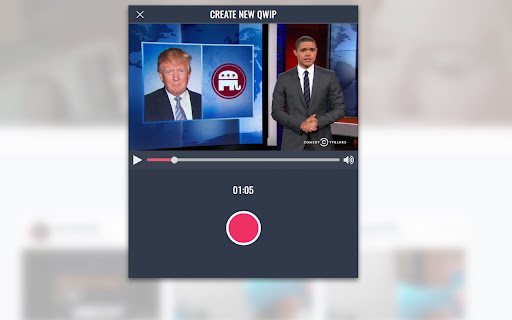

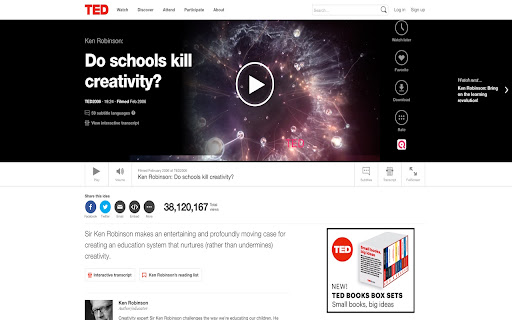
下載QwipIn - Say It With Video!擴展crx文件
下載QwipIn - Say It With Video!擴展crx格式的文件,手動將Chrome擴充功能安裝到瀏覽器中,也可以將crx文件分享給朋友,輕鬆安裝Chrome擴充功能。
擴展使用說明
                        Create and share viral clips from any video on the web.

The QwipIn Extension places a QwipIn button on qwippable videos it finds while you're browsing the web. Find a moment in a video you love and want to share? Click the QwipIn icon on the video or the extension in your chrome menu. A new tab will open with the QwipIn creation window launched and ready to go.

Where can I create qwips from?
* Youtube (and any site with embeded youtube videos)
* Vimeo
* FunnyorDie
* ESPN
* TED
* CollegeHumor
* Vidme
* Vine
* Instagram
* Twitch.tv

What are Qwips?
* Short looping videos that are up to 11 seconds in length
* Like a Vine but you create it from existing video
* Like a gif but with sound
* Super fun to create and share

Where should Qwips be shared?
* ANYWHERE
* Reddit
* Facebook
* Twitter
* Slack
* Medium
* WordPress
* SMS
* WhatsApp
* FB Messenger
擴展基本資訊
| 名稱 |  QwipIn - Say It With Video! QwipIn - Say It With Video! |
| ID | camcdldcjjkflbdejchbendhfmchojle |
| 官方網址 | https://chromewebstore.google.com/detail/qwipin-say-it-with-video/camcdldcjjkflbdejchbendhfmchojle |
| 簡介 | Qwip your favorite moment of any video |
| 檔案大小 | 168 KB |
| 安裝次數 | 75 |
| 目前版本 | 1.2 |
| 更新時間 | 2016-08-02 |
| 上架時間 | 2016-08-01 |
| 評分 | 4.33/5 共 3 次評分 |
| 開發者 | https://qwip.in |
| 付費類型 | free |
| 擴展官網 | https://qwip.in/extension |
| 支援的語言 | en-US |
| manifest.json | |
{
"update_url": "https:\/\/clients2.google.com\/service\/update2\/crx",
"manifest_version": 2,
"name": "QwipIn - Say It With Video!",
"short_name": "Create and share viral clips from any video on the web",
"version": "1.2",
"browser_action": {
"default_icon": "icon.png",
"default_title": "Lets Qwip this video!",
"default_popup": "popup.html"
},
"homepage_url": "https:\/\/qwip.in\/",
"options_ui": {
"page": "options.html",
"chrome_style": true
},
"icons": {
"128": "icon.png",
"16": "icon.png",
"48": "icon.png"
},
"permissions": [
"webNavigation",
"activeTab",
"contextMenus",
"tabs",
"storage",
"https:\/\/qwip.in\/*",
"https:\/\/*.qwip.in\/*",
"http:\/\/*\/*",
"https:\/\/*\/*",
" | |