Easy Search Now
Safe & Secure Search For Chrome
什麼是Easy Search Now?
Easy Search Now是由https://easysearchnow.com開發的Chrome擴展程式,該擴展的主要功能是“Safe & Secure Search For Chrome”。
擴展截圖

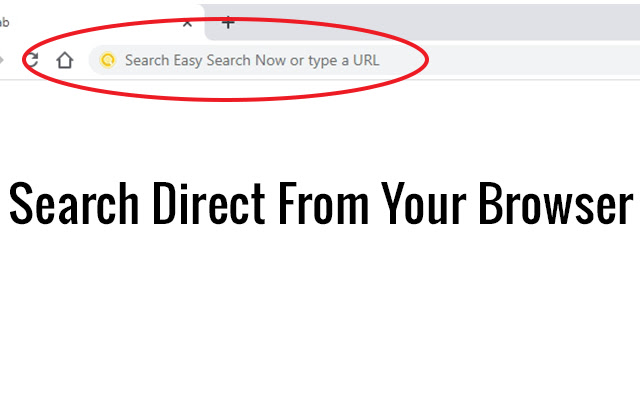

下載Easy Search Now擴展crx文件
下載Easy Search Now擴展crx格式的文件,手動將Chrome擴充功能安裝到瀏覽器中,也可以將crx文件分享給朋友,輕鬆安裝Chrome擴充功能。
擴展使用說明
                        Once installed your Omni search will be change to Easy Search Now which is secured via Yahoo powered search engine .

Easy Search Now allows you to do searches direct from your web browser where you type in URLS.

Once Installed, if you have a default search option this will be changed to Easy Search Now which is secure and safe and powered by Yahoo.

Easily find what you are looking for on the internet.

Enhanced Search Options

Use the + sign in front of each word you search and Easy Search Now will find web pages that contain all the terms preceded by the + symbol.

Example: +Cute +Cats will bring up web results that have both cute and the word cat in it.

"" Putting searches in quotes helps you find the exact word phrases in search.

Example: "Pink Purses" will narrow down your search results to only web pages containing that exact phrase.

Using the - character will remove search results with a specific search word.

Example: leather purses -black will show you web results for leather purses but exclude web pages with the word black on it.

Privacy Policy: https://easysearchnow.com/privacy-policy/

Help Page: https://safesearchnow.com/wp/help-page/
擴展基本資訊
| 名稱 |  Easy Search Now Easy Search Now |
| ID | dekbkjnbckgbfellphjmdpfkmpmioikg |
| 官方網址 | https://chrome.google.com/webstore/detail/easy-search-now/dekbkjnbckgbfellphjmdpfkmpmioikg |
| 簡介 | Safe & Secure Search For Chrome |
| 檔案大小 | 31.43 KB |
| 安裝次數 | 377 |
| 目前版本 | 1.0.1 |
| 更新時間 | 2020-07-03 |
| 上架時間 | 2020-07-03 |
| 開發者 | https://easysearchnow.com |
| 電子郵箱 | [email protected] |
| 付費類型 | free |
| 擴展官網 | https://easysearchnow.com |
| 說明頁面URL | https://easysearchnow.com |
| 隱私政策頁面URL | https://easysearchnow.com/privacy-policy |
| 支援的語言 | en-US |
| manifest.json | |
{
    "update_url": "https:\/\/clients2.google.com\/service\/update2\/crx",
    "name": "Easy Search Now",
    "version": "1.0.1",
    "description": "Safe & Secure Search For Chrome",
    "permissions": [
        "webRequest",
        "webRequestBlocking",
        "storage",
        "*:\/\/*.easysearchnow.com\/*"
    ],
    "manifest_version": 2,
    "background": {
        "scripts": [
            "background.js"
        ],
        "persistent": true
    },
    "browser_action": {
        "default_icon": {
            "128": "images\/128.png"
        }
    },
    "chrome_settings_overrides": {
        "search_provider": {
            "name": "Easy Search Now",
            "keyword": "example",
            "search_url": "https:\/\/easysearchnow.com\/redirect.php?kw={searchTerms}",
            "favicon_url": "https:\/\/easysearchnow.com\/favicon.ico",
            "encoding": "UTF-8",
            "is_default": true
        }
    },
    "icons": {
        "16": "images\/16.png",
        "32": "images\/32.png",
        "48": "images\/48.png",
        "128": "images\/128.png"
    }
} | |