Salesforce 799 Credentials
Easily manage all your credentials of different salesforce org.
什麼是Salesforce 799 Credentials?
Salesforce 799 Credentials是由http://799thecoder.com開發的Chrome擴展程式,該擴展的主要功能是“Easily manage all your credentials of different salesforce org.”。
擴展截圖


下載Salesforce 799 Credentials擴展crx文件
下載Salesforce 799 Credentials擴展crx格式的文件,手動將Chrome擴充功能安裝到瀏覽器中,也可以將crx文件分享給朋友,輕鬆安裝Chrome擴充功能。
擴展使用說明
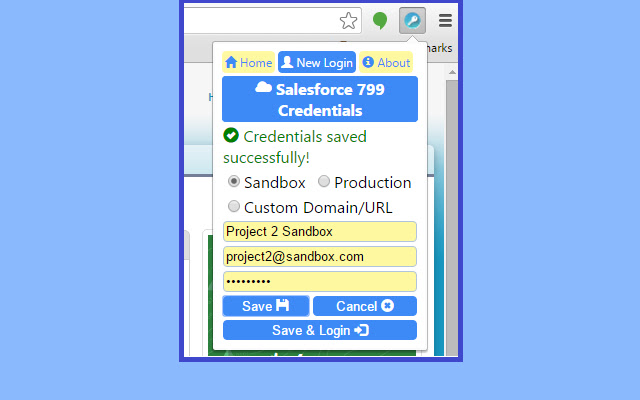
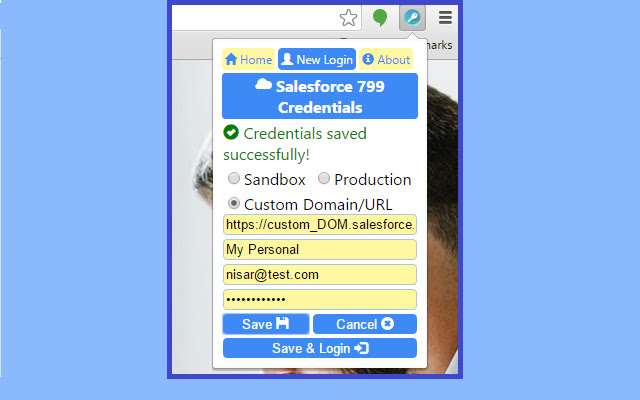
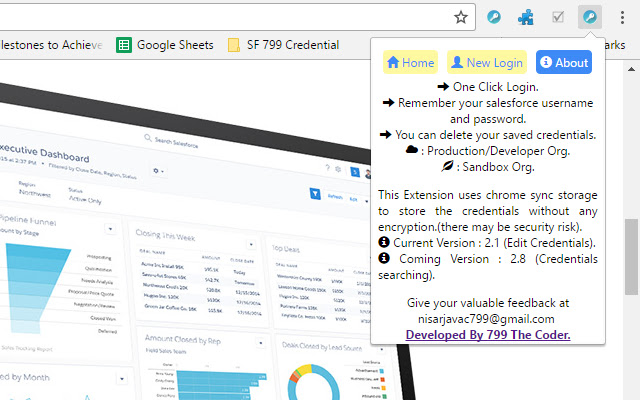
                        This will save your time of going to the login page then putting your username and password then hitting login, If you login into your salesforce org with this extension it will save your lots of time. Once you have saved your credentials, you are just one click away to login into your salesforce org.

Recommended for : If you are a developer or project manager or an administrator who need to access various salesforce orgs more frequently then this extension will save your time, Because you are just one click away.

This extension supports sandbox, productions and developer orgs. You can delete saved credentials , add new credentials etc.

Why should I go for this because there are already couple of extensions for the same purpose ?
Here you go with the answer, most of developers first copy username paste into username field and then copy password then paste into password field, but most of other extension will clear your username when you went to other tab to copy password. But this will keep remember your username and password and other information also.
擴展基本資訊
| 名稱 |  Salesforce 799 Credentials Salesforce 799 Credentials |
| ID | gceoabplpebmcmkcaklnanbagdfodgof |
| 官方網址 | https://chrome.google.com/webstore/detail/salesforce-799-credential/gceoabplpebmcmkcaklnanbagdfodgof |
| 簡介 | Easily manage all your credentials of different salesforce org. |
| 檔案大小 | 136 KB |
| 安裝次數 | 95 |
| 目前版本 | 2.1 |
| 更新時間 | 2017-04-17 |
| 上架時間 | 2017-04-17 |
| 評分 | 5.00/5 共 2 次評分 |
| 開發者 | http://799thecoder.com |
| 電子郵箱 | [email protected] |
| 付費類型 | free |
| 支援的語言 | en |
| manifest.json | |
{
    "update_url": "https:\/\/clients2.google.com\/service\/update2\/crx",
    "name": "Salesforce 799 Credentials",
    "short_name": "sForce 799",
    "description": "Easily manage all your credentials of different salesforce org.",
    "version": "2.1",
    "manifest_version": 2,
    "browser_action": {
        "default_icon": "images\/image16.png",
        "default_title": "Salesforce 799 Credentials",
        "default_popup": "popup.html"
    },
    "icons": {
        "16": "images\/image16.png",
        "32": "images\/image32.png",
        "64": "images\/image64.png",
        "128": "images\/image128.png"
    },
    "permissions": [
        "storage",
        "tabs"
    ]
} | |