Volume Booster
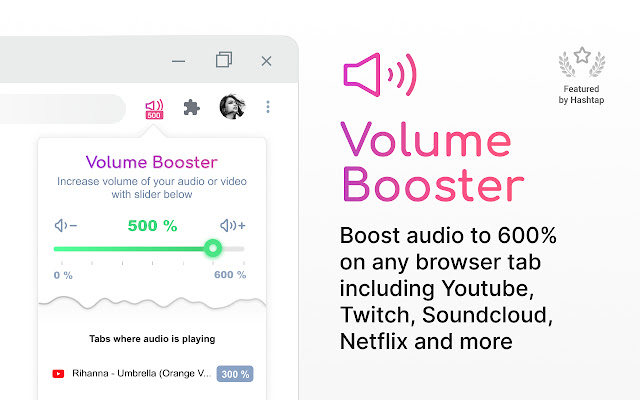
Increase your maximum volume to 600%! Volume Booster - extension to volume up your speaker or headphone sound volume.
什麼是Volume Booster?
Volume Booster是由beat's volume開發的Chrome擴展程式,該擴展的主要功能是“Increase your maximum volume to 600%! Volume Booster - extension to volume up your speaker or headphone sound volume.”。
擴展截圖


下載Volume Booster擴展crx文件
下載Volume Booster擴展crx格式的文件,手動將Chrome擴充功能安裝到瀏覽器中,也可以將crx文件分享給朋友,輕鬆安裝Chrome擴充功能。
擴展使用說明
                        Increase and amplify your max volume! Boost your volume up to 600%!

🎧 Listen to music or videos with maximum volume (up to 600% louder), no matter what speaker or headphones you are using.

💡 Install beat's volume and enjoy the boosted sound! 100% support audio and video sites all over the world!

📌 Features:

- Modern design

- Smooth volume increase using a slider

- Fast volume up and down buttons

- Adjust each tab where music or video is playing

- Volume indicator for each tab

- The extension works on Windows and Mac devices

- Support for 54 languages


🤩 Completely free extension.


💡 If you are using Windows and you have problems with full screen mode, press F11. If you're on a Mac, expand the window and press Cmd + Shift + F.

💡 When using headphones or small laptop speakers, moving the slider beyond 300% of the slider will distort the sound.

🎧 Use the volume booster of it on your favorite sites: Twitter, Vimeo, YouTube, Facebook, Spotify, Instagram, TikTok, Netflix, Megogo, IVI and more!

Our blog - https://www.hashtap.com/@beats
擴展基本資訊
| 名稱 |  Volume Booster Volume Booster |
| ID | gdggigkncgpenaggccndcononfohngpo |
| 官方網址 | https://chrome.google.com/webstore/detail/volume-booster/gdggigkncgpenaggccndcononfohngpo |
| 簡介 | Increase your maximum volume to 600%! Volume Booster - extension to volume up your speaker or headphone sound volume. |
| 檔案大小 | 455 KB |
| 安裝次數 | 42,370 |
| 目前版本 | 2.0.1 |
| 更新時間 | 2022-05-01 |
| 上架時間 | 2021-10-04 |
| 評分 | 4.41/5 共 22 次評分 |
| 開發者 | beat's volume |
| 電子郵箱 | [email protected] |
| 付費類型 | free |
| 擴展官網 | https://www.hashtap.com/@beats |
| 說明頁面URL | https://www.hashtap.com/@beats |
| 隱私政策頁面URL | https://www.hashtap.com/p/obgzKVEor8lj |
| 支援的語言 | id,ms,de,en,en-GB,en-US,fil,fr,nl,no,vi,tr,ca,da,et,es,es-419,hr,it,lv,lt,hu,pl,pt-BR,pt-PT,ro,sk,sl,fi,sv,cs,el,sr,bg,ru,uk,mr,hi,bn,gu,ta,te,ml,th,zh-CN,zh-TW,ja,ko |
| manifest.json | |
{
"update_url": "https:\/\/clients2.google.com\/service\/update2\/crx",
"manifest_version": 2,
"name": "__MSG_app_name__",
"description": "__MSG_app_description__",
"short_name": "__MSG_app_short_name__",
"version": "2.0.1",
"default_locale": "en",
"author": "beats volume",
"homepage_url": "https:\/\/www.hashtap.com\/@beats",
"icons": {
"16": "img\/icons\/16x16.png",
"20": "img\/icons\/20x20.png",
"24": "img\/icons\/24x24.png",
"32": "img\/icons\/32x32.png",
"48": "img\/icons\/48x48.png",
"64": "img\/icons\/64x64.png",
"80": "img\/icons\/80x80.png",
"128": "img\/icons\/128x128.png"
},
"browser_action": {
"default_icon": {
"16": "img\/icons\/16x16.png",
"20": "img\/icons\/20x20.png",
"24": "img\/icons\/24x24.png",
"32": "img\/icons\/32x32.png",
"48": "img\/icons\/48x48.png"
},
"default_title": "__MSG_app_short_name__",
"default_popup": "html\/popup.html"
},
"content_scripts": [
{
"matches": [
" | |