ToDoin
Keep Things Simple.
什麼是ToDoin?
ToDoin是由idan.goldman開發的Chrome擴展程式,該擴展的主要功能是“Keep Things Simple.”。
擴展截圖


下載ToDoin擴展crx文件
下載ToDoin擴展crx格式的文件,手動將Chrome擴充功能安裝到瀏覽器中,也可以將crx文件分享給朋友,輕鬆安裝Chrome擴充功能。
擴展使用說明
                        ToDoin was created to make your day simpler. In this hectic life we’re living, you sure can use a great tool that keeps your todos organized and because we know you already spend a lot of your time browsing, we’ve integrated this tool in the most popular browser in the world. Smart, right?

ToDoin is a user-friendly Chrome extension that can offer you a variety of features, including:

- Create, Edit, Complete Todos.
- Clear Todos.
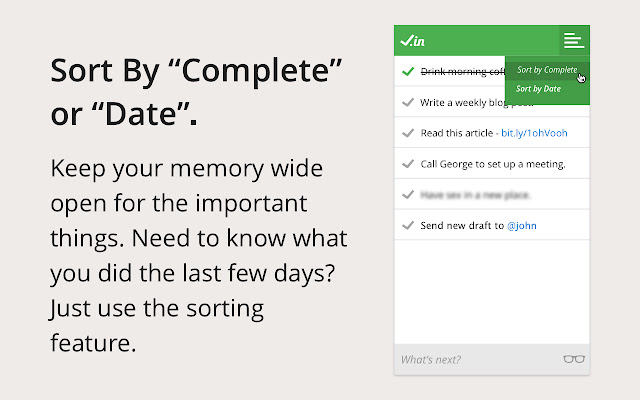
- Sort By “Complete” or “Date”.
- Icon Indicator for Remain Todos.
- Drag & Drop Todos.
- Turning URLs to clickable links.
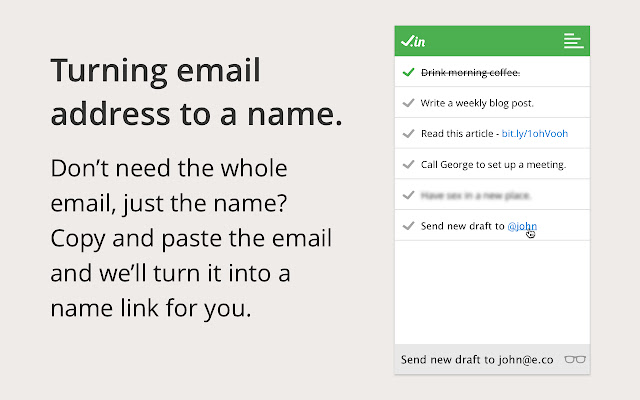
- Turning Email Address into a Name
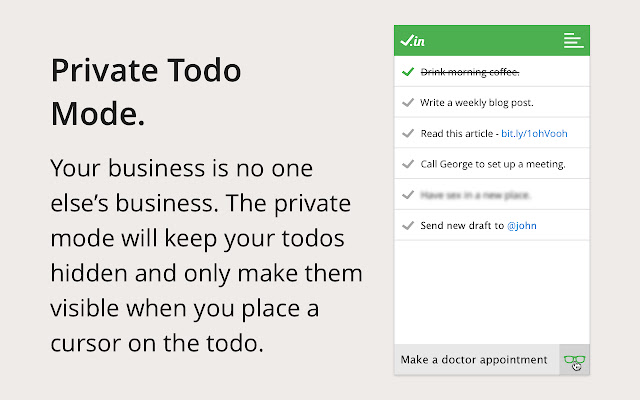
- Private Todo Mode.
擴展基本資訊
| 名稱 |  ToDoin ToDoin |
| ID | gobimjknanlaehcjalekeoolepmmjhpk |
| 官方網址 | https://chrome.google.com/webstore/detail/gobimjknanlaehcjalekeoolepmmjhpk |
| 簡介 | Keep Things Simple. |
| 檔案大小 | 782 KB |
| 安裝次數 | 83 |
| 目前版本 | 3.2.2 |
| 更新時間 | 2016-04-29 |
| 上架時間 | 2016-04-29 |
| 評分 | 4.88/5 共 8 次評分 |
| 開發者 | idan.goldman |
| 付費類型 | free |
| 支援的語言 | en |
| manifest.json | |
{
    "update_url": "https:\/\/clients2.google.com\/service\/update2\/crx",
    "name": "ToDoin",
    "version": "3.2.2",
    "manifest_version": 2,
    "description": "Keep Things Simple.",
    "homepage_url": "http:\/\/todo.help",
    "default_locale": "en",
    "offline_enabled": true,
    "icons": {
        "16": "icons\/icon16.png",
        "32": "icons\/icon32.png",
        "48": "icons\/icon48.png",
        "64": "icons\/icon64.png",
        "128": "icons\/icon128.png"
    },
    "background": {
        "page": "index.html"
    },
    "browser_action": {
        "default_icon": "icons\/icon16.png",
        "default_title": "ToDoin 3.2.2",
        "default_popup": "index.html"
    },
    "content_security_policy": "script-src 'self' 'unsafe-eval'; object-src 'self'",
    "permissions": [
        "cookies",
        "contextMenus",
        "fontSettings"
    ]
} | |