uSelect iDownload
Open or download several links at once with a simple selection.
什麼是uSelect iDownload?
uSelect iDownload是由http://lasagnacode.com開發的Chrome擴展程式,該擴展的主要功能是“Open or download several links at once with a simple selection.”。
擴展截圖
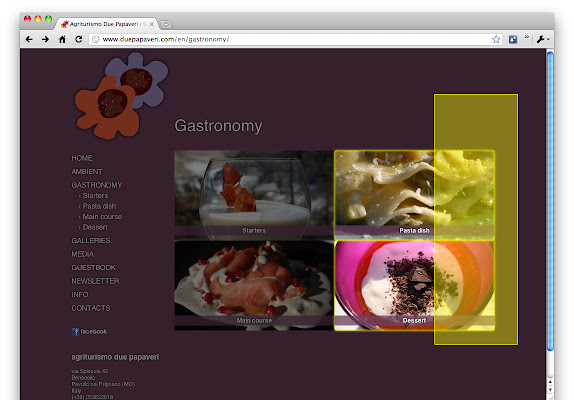


下載uSelect iDownload擴展crx文件
下載uSelect iDownload擴展crx格式的文件,手動將Chrome擴充功能安裝到瀏覽器中,也可以將crx文件分享給朋友,輕鬆安裝Chrome擴充功能。
擴展使用說明
                        Usage instructions:
 - click the extension button (the page should become darker);
 - select the links you want to open by click-and-drag (i.e. like you do in the file manager);
 - repeat the previous step how many times you need;
 - deselect items using the right mouse button (or ctrl + left button);
 - press 'enter' key to open all selected links or 'alt+enter' to download them.


To report bugs or suggestions please visit http://goo.gl/r6OiE


Known issues:
 - the extension doesn't work on sites with frames.
擴展基本資訊
| 名稱 |  uSelect iDownload uSelect iDownload |
| ID | ileabdhfjmgaognikmjgmhhkjffggejc |
| 官方網址 | https://chrome.google.com/webstore/detail/uselect-idownload/ileabdhfjmgaognikmjgmhhkjffggejc |
| 簡介 | Open or download several links at once with a simple selection. |
| 檔案大小 | 98.33 KB |
| 安裝次數 | 41,618 |
| 目前版本 | 1.9 |
| 更新時間 | 2013-01-12 |
| 上架時間 | 2013-01-12 |
| 評分 | 3.79/5 共 297 次評分 |
| 開發者 | http://lasagnacode.com |
| 付費類型 | free |
| 擴展官網 | https://plus.google.com/107157125964195177231 |
| 支援的語言 | en,it |
| manifest.json | |
{
"update_url": "http:\/\/clients2.google.com\/service\/update2\/crx",
"manifest_version": 2,
"name": "uSelect iDownload",
"version": "1.9",
"description": "__MSG_extDesc__",
"icons": {
"32": "res\/icon32.png",
"48": "res\/icon48.png",
"52": "res\/icon52.png",
"92": "res\/icon92.png",
"128": "res\/icon128.png"
},
"browser_action": {
"default_icon": "res\/icon32.png",
"default_title": "__MSG_actionTitle__"
},
"background": {
"scripts": [
"js\/background.js"
],
"persistent": false
},
"content_scripts": [
{
"matches": [
" | |