Bookmark Manager - Save Tab for Later
All in One Tool for Chrome, Search for History, Reading List, Top Sites, Bookmarks and Tabs.
什麼是Bookmark Manager - Save Tab for Later?
Bookmark Manager - Save Tab for Later是由bookmark manager開發的Chrome擴展程式,該擴展的主要功能是“All in One Tool for Chrome, Search for History, Reading List, Top Sites, Bookmarks and Tabs.”。
擴展截圖
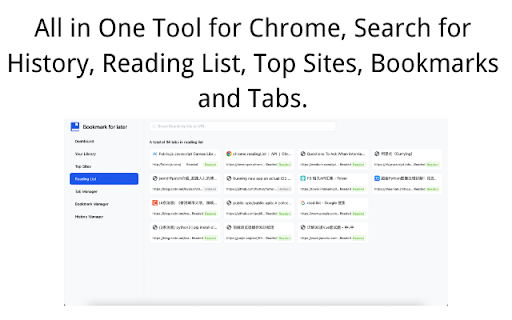
下載Bookmark Manager - Save Tab for Later擴展crx文件
下載Bookmark Manager - Save Tab for Later擴展crx格式的文件,手動將Chrome擴充功能安裝到瀏覽器中,也可以將crx文件分享給朋友,輕鬆安裝Chrome擴充功能。
擴展使用說明
                        Bookmark Manager is an all-in-one tool for Chrome, covering functionalities like searching history, managing reading lists, accessing top sites, organizing bookmarks, and handling tabs. It provides users with a one-stop solution for effortless browsing, saving, and managing tabs.

Features:
1. Quick Tab Saving: Easily save the current tab with just one click, making it convenient to revisit later.
2. Search History Management: Simplify the process of finding past browsing history; users can quickly search and locate specific pages.
3. Reading List: Add interesting articles to the reading list, ensuring users can enjoy captivating content anytime, anywhere without the fear of missing out.
4. Top Sites Overview: Quickly access frequently visited websites, enhancing work efficiency and making internet browsing more productive.
5. Intelligent Bookmark Management: Manage bookmarks in an intuitive way, categorize and organize them for easy retrieval.
6. Tab Management: Clearly view currently open tabs, easily switch between them, and keep the browser organized.

Q&A:
1. How to save the current tab?
   - Click on the extension icon in the browser, select "Save Tab," and the current tab will be saved to the bookmark manager.
2. How can I find previously visited web pages?
   - On the extension page, click "Search History," input keywords, and quickly locate relevant browsing history records.
3. Is it possible to sync bookmarks across different devices?
   - Yes, by logging into your Chrome account, you can sync saved bookmarks and reading lists across various devices.
4. How do I add a webpage to the reading list?
   - While visiting an interesting page, click the extension icon, choose "Add to Reading List," and the page will be saved for later reading.
5. Does it support custom bookmark folders?
   - Absolutely, users can create custom folders in the bookmark manager for better organization and management.
擴展基本資訊
| 名稱 |  Bookmark Manager - Save Tab for Later Bookmark Manager - Save Tab for Later |
| ID | kngfehiihhhogmmdkfpgilhabflhmiai |
| 官方網址 | https://chromewebstore.google.com/detail/bookmark-manager-save-tab/kngfehiihhhogmmdkfpgilhabflhmiai |
| 簡介 | All in One Tool for Chrome, Search for History, Reading List, Top Sites, Bookmarks and Tabs. |
| 檔案大小 | 4.44 MB |
| 安裝次數 | 1,680 |
| 目前版本 | 2.0.0.1 |
| 更新時間 | 2024-02-03 |
| 上架時間 | 2023-03-24 |
| 評分 | 2.55/5 共 11 次評分 |
| 開發者 | bookmark manager |
| 電子郵箱 | [email protected] |
| 付費類型 | free |
| 隱私政策頁面URL | https://denote.net/privacy |
| 支援的語言 | en |
| manifest.json | |
{
"update_url": "https:\/\/clients2.google.com\/service\/update2\/crx",
"manifest_version": 3,
"name": "__MSG_name__",
"description": "__MSG_description__",
"version": "2.0.0.1",
"default_locale": "en",
"background": {
"service_worker": "background\/index.js"
},
"web_accessible_resources": [
{
"resources": [
"_favicon\/*"
],
"matches": [
" | |