Markoob - Bookmark Launcher
Bookmark Launcher with usage-based recommendations and full-featured bookmark management support.
什麼是Markoob - Bookmark Launcher?
Markoob - Bookmark Launcher是由Gwokhou開發的Chrome擴展程式,該擴展的主要功能是“Bookmark Launcher with usage-based recommendations and full-featured bookmark management support.”。
擴展截圖




下載Markoob - Bookmark Launcher擴展crx文件
下載Markoob - Bookmark Launcher擴展crx格式的文件,手動將Chrome擴充功能安裝到瀏覽器中,也可以將crx文件分享給朋友,輕鬆安裝Chrome擴充功能。
擴展使用說明
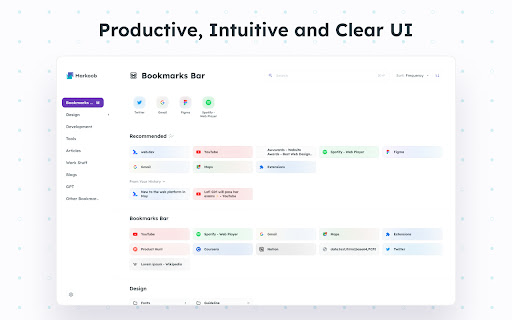
                        Markoob is a Bookmark Launcher or New Tab that brings convenience and efficiency to your browsing experience.


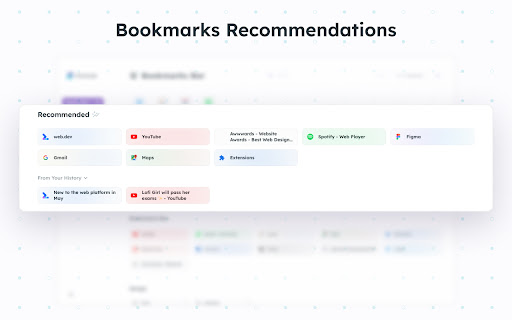
🌟 Bookmark Recommendations: We recommend bookmarks that you need based on your usage habits.

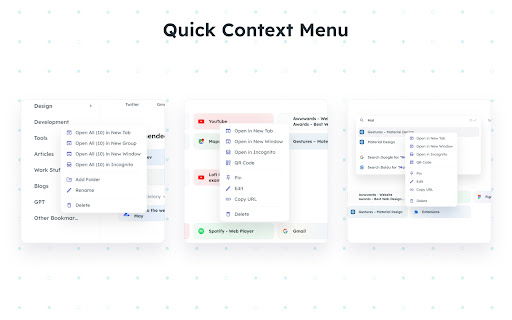
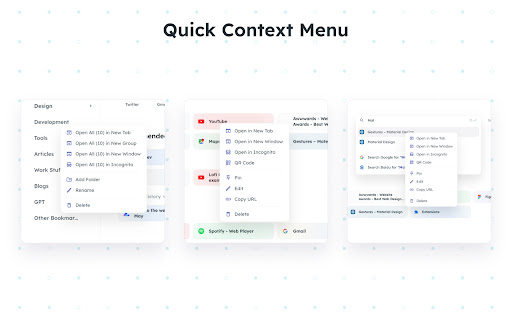
🚀 Quick Menu: Right-click context menu allows you to quickly open, add, edit, delete, pin, and generate QR codes for bookmarks and folders.

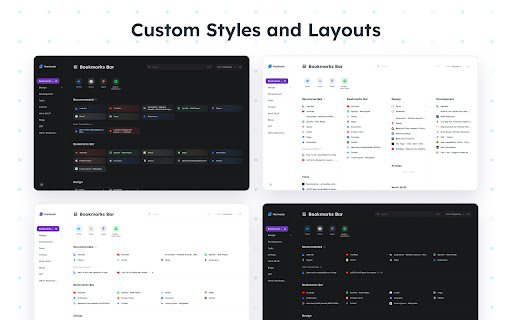
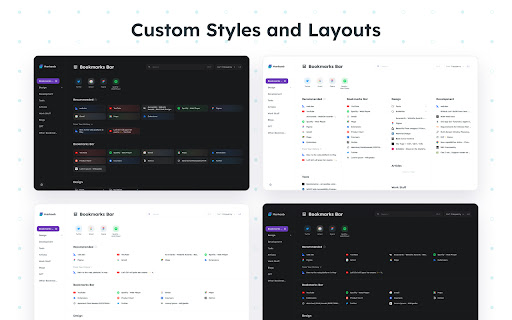
📐 Custom Layout: Carefully designed display layout and features make it easier for you to find the bookmarks. We also offer various layouts and themes.

🔧 Handy Pop-up: In the top right corner of your browser, where you can easily manage bookmarks, view QR codes, and synchronize the title of the current bookmark.
擴展基本資訊
| 名稱 |  Markoob - Bookmark Launcher Markoob - Bookmark Launcher |
| ID | lnhnllkaacmnkffnjgcnokifakeckido |
| 官方網址 | https://chromewebstore.google.com/detail/markoob-bookmark-launcher/lnhnllkaacmnkffnjgcnokifakeckido |
| 簡介 | Bookmark Launcher with usage-based recommendations and full-featured bookmark management support. |
| 檔案大小 | 2.44 MB |
| 安裝次數 | 742 |
| 目前版本 | 0.4.2 |
| 更新時間 | 2024-02-27 |
| 上架時間 | 2023-07-01 |
| 評分 | 4.92/5 共 13 次評分 |
| 開發者 | Gwokhou |
| 電子郵箱 | [email protected] |
| 付費類型 | free |
| 支援的語言 | en,zh-CN,zh-TW,ja |
| manifest.json | |
{
    "update_url": "https:\/\/clients2.google.com\/service\/update2\/crx",
    "manifest_version": 3,
    "name": "__MSG_app_name__",
    "version": "0.4.2",
    "description": "__MSG_app_desc__",
    "default_locale": "en",
    "action": {
        "default_icon": ".\/assets\/icon-512.png",
        "default_popup": ".\/popup\/index.html"
    },
    "background": {
        "service_worker": "background.js"
    },
    "icons": {
        "16": ".\/assets\/icon-16.png",
        "48": ".\/assets\/icon-48.png",
        "128": ".\/assets\/icon-128.png",
        "256": ".\/assets\/icon-256.png",
        "512": ".\/assets\/icon-512.png"
    },
    "chrome_url_overrides": {
        "newtab": ".\/main\/index.html"
    },
    "permissions": [
        "tabs",
        "storage",
        "bookmarks",
        "favicon",
        "history",
        "search"
    ]
} | |