Whatsapp Desktop - How to Use Windows and Mac
Are you want to Use Web WhatsApp (Windows 10/8.1/8/7/Vista/XP or Mac)? Visit Offered by website link.
什麼是Whatsapp Desktop - How to Use Windows and Mac?
Whatsapp Desktop - How to Use Windows and Mac是由https://web-whatsapp.alorbook.com開發的Chrome擴展程式,該擴展的主要功能是“Are you want to Use Web WhatsApp (Windows 10/8.1/8/7/Vista/XP or Mac)? Visit Offered by website link.”。
擴展截圖
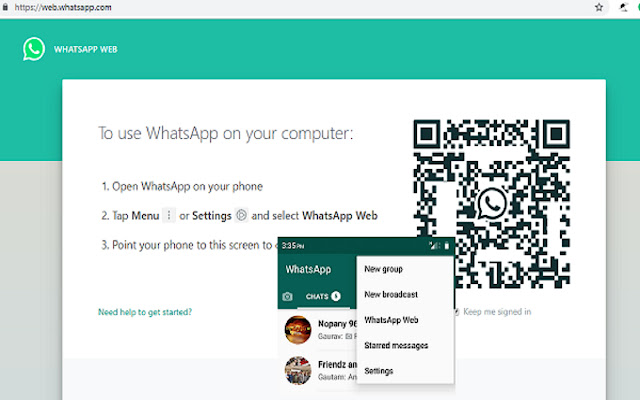


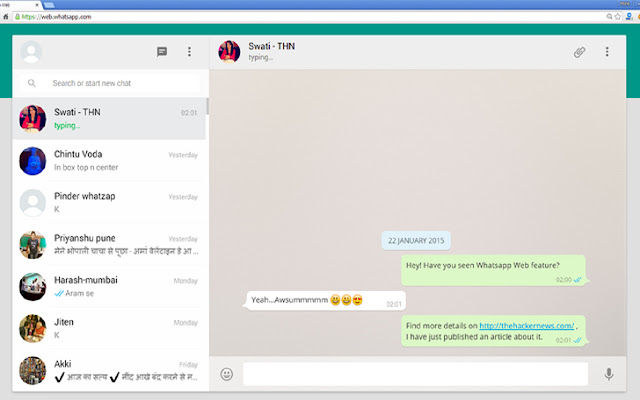
下載Whatsapp Desktop - How to Use Windows and Mac擴展crx文件
下載Whatsapp Desktop - How to Use Windows and Mac擴展crx格式的文件,手動將Chrome擴充功能安裝到瀏覽器中,也可以將crx文件分享給朋友,輕鬆安裝Chrome擴充功能。
擴展使用說明
                        We seem to be more connected more than ever with the way smartphones and mobile apps has made everything so accessible. From the time when Whats App Incorporated introduced Whats App messenger, we think we found the best form of unlimited call and text within the application. It’s highly practical because were able to enjoy these features with only an Internet connection required. Needless to say, we can talk endlessly over video calls, voice and send messages anywhere. Friends, families, co-workers and almost everyone we know already use the app.

How to Download WhatsApp for your PC:
Step 1: Download the android emulator software Andy and it is available for free. Click here to download: Download

Step 2: Start the installation of Andy by clicking on the installer file you downloaded.

Step 3: When the software is ready to be used, start it and complete the sign up procedure and login with Google Play account.

Step 4: Start Google play store app and use its search tool to search WhatsApp download.

Step 5: Find Whats App and start the installation.

Step 6: Launch the game and you can now play Whats App on pc using a mouse or your keyboard and even your touchscreen, you can use the control button to emulate the pinch function to zoom in and out.

Step 7: You can also install remote control app form here for remotely accessing the game: Andy remote control app

Support: we maintain an online real-time Facebook support group if you have any issues with Andy OS installation process, you can use this link to access the group: support
擴展基本資訊
| 名稱 |  Whatsapp Desktop - How to Use Windows and Mac Whatsapp Desktop - How to Use Windows and Mac |
| ID | lphdhngohcganaaejfagdaeepjekhodf |
| 官方網址 | https://chrome.google.com/webstore/detail/whatsapp-desktop-how-to-u/lphdhngohcganaaejfagdaeepjekhodf |
| 簡介 | Are you want to Use Web WhatsApp (Windows 10/8.1/8/7/Vista/XP or Mac)? Visit Offered by website link. |
| 檔案大小 | 77.56 KB |
| 安裝次數 | 10,933 |
| 目前版本 | 1.0 |
| 更新時間 | 2021-04-09 |
| 上架時間 | 2021-04-09 |
| 評分 | 5.00/5 共 1 次評分 |
| 開發者 | https://web-whatsapp.alorbook.com |
| 電子郵箱 | [email protected] |
| 付費類型 | free |
| 擴展官網 | https://www.howmash.com/whatsapp-web-for-pc-download-windows-laptop/ |
| 隱私政策頁面URL | https://www.alorbook.com/privacy-policy |
| 支援的語言 | en-GB |
| manifest.json | |
null | |


















![DraStic DS Emulator Apk PC [Guide]](https://lh3.googleusercontent.com/VWKHq9PT3BcxeLZyzPdDbQKxuBzpwxjPKrlEh8ApsENVaXS1jn75QEZhDNz8vGeh2vgKRLCO8rSDYGl0RQRwYwpDiOA)


![Vidmate Apk Download 2020[Latest Version]](https://lh3.googleusercontent.com/PHJ5siLWbHAS8n8CaC-7eF8LuysxUNXQ4N3ya6PZYUmVtLXPU1qa_u-XR1U0seIc3RmAt28u=w128-h128-e365-rj-sc0x00ffffff)