MEW CX - is now Enkrypt
MyEtherWallet Chrome Extension is now Enkrypt
什麼是MEW CX - is now Enkrypt?
MEW CX - is now Enkrypt是由MyEtherWallet Inc開發的Chrome擴展程式,該擴展的主要功能是“MyEtherWallet Chrome Extension is now Enkrypt”。
擴展截圖



下載MEW CX - is now Enkrypt擴展crx文件
下載MEW CX - is now Enkrypt擴展crx格式的文件,手動將Chrome擴充功能安裝到瀏覽器中,也可以將crx文件分享給朋友,輕鬆安裝Chrome擴充功能。
擴展使用說明
                        MEW CX is now Enkrypt! We have improved upon our web3 wallet and launched Enkrypt.

This new and improved browser extension supports all of Ethereum and Polkadot!

You can learn more about Enkrypt at Enkrypt.com
You can also find it on the Chrome extension store by searching Enkrypt
Finally, we created a guide for helping migrate your assets from MEW CX to Enkrypt: https://help.myetherwallet.com/en/articles/6434663-migrating-from-mew-cx-to-enkrypt

***
Browse the blockchain. Bring your own MEW.

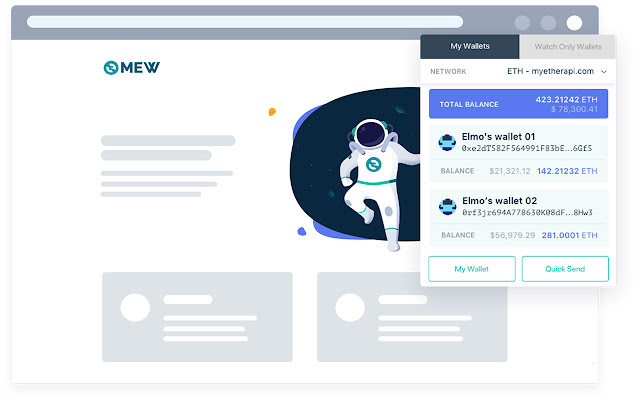
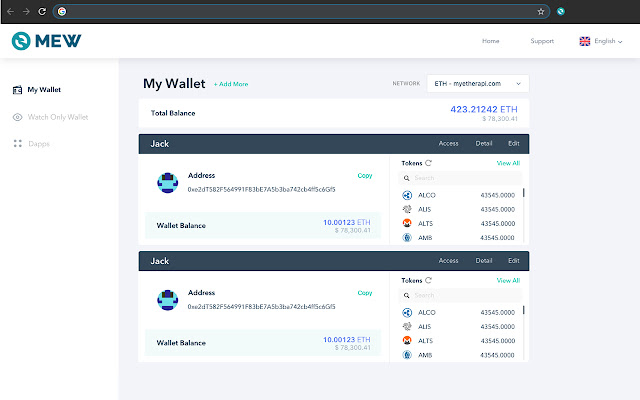
The fully redesigned MEW CX brings full MEW functionality and Web3 support to your browser toolbar! Send transactions, interact with DApps, save wallets in your browser, swap crypto, and manage your tokens all from our new browser extension.

The option to choose different wallets for different DApps and the burn address function let you explore the decentralized internet with confidence. Best of all, our CX stays true to MEW ideals by remaining a 100% free, open-source, and client-side tool.

FEATURES
- Phishing protection
- Web3 support allows for easy DApp integration
- Choose different wallets to interact with different DApps
- Burn addresses are available for temporary use
- Wallets are generated completely client-side and kept personal
- Key management is easier than ever for private keys, keystore files, and mnemonic phrases
- Easily send Ether and ERC-20 tokens from a QuickSend dropdown. Hundreds of default tokens already included, as well as the ability to add custom tokens right in the extension!

Learn all about our code at Github: https://github.com/myetherwallet/myetherwallet

Removing MEW CX will cause your saved wallets to reset, so only remove this extension as a last resort. It can be temporary disabled from your browser's extension page.

Created and maintained by:
- MyEtherWallet
擴展基本資訊
| 名稱 |  MEW CX - is now Enkrypt MEW CX - is now Enkrypt |
| ID | nlbmnnijcnlegkjjpcfjclmcfggfefdm |
| 官方網址 | https://chrome.google.com/webstore/detail/mew-cx-is-now-enkrypt/nlbmnnijcnlegkjjpcfjclmcfggfefdm |
| 簡介 | MyEtherWallet Chrome Extension is now Enkrypt |
| 檔案大小 | 29.87 MB |
| 安裝次數 | 111,765 |
| 目前版本 | 5.9.2 |
| 更新時間 | 2022-10-17 |
| 上架時間 | 2020-06-23 |
| 評分 | 4.36/5 共 375 次評分 |
| 開發者 | MyEtherWallet Inc |
| 電子郵箱 | [email protected] |
| 付費類型 | free |
| 擴展官網 | https://www.mewcx.com/ |
| 說明頁面URL | https://kb.myetherwallet.com/ |
| 隱私政策頁面URL | https://myetherwallet.com/privacy-policy |
| 支援的語言 | en |
| manifest.json | |
{
"update_url": "https:\/\/clients2.google.com\/service\/update2\/crx",
"name": "MEW CX - is now Enkrypt",
"short_name": "MEW CX - is now Enkrypt",
"manifest_version": 2,
"description": "MyEtherWallet Chrome Extension is now Enkrypt",
"homepage_url": "https:\/\/www.myetherwallet.com\/",
"icons": {
"16": "img\/icons\/icon16.png",
"32": "img\/icons\/icon32.png",
"48": "img\/icons\/icon48.png",
"192": "img\/icons\/icon192.png"
},
"browser_action": {
"default_icon": "img\/icons\/icon48.png",
"default_title": "MEW CX - is now Enkrypt",
"default_popup": "browserActionLoading.html"
},
"options_page": "index.html",
"background": {
"persistent": true,
"page": "page.html"
},
"content_scripts": [
{
"matches": [
" | |