Chromium Buildbot Monitor
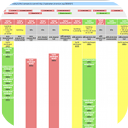
Displays the status of the Chromium buildbot in the toolbar. Click to see more detailed status in a popup.
什麼是Chromium Buildbot Monitor?
Chromium Buildbot Monitor是由http://chrome.google.com開發的Chrome擴展程式,該擴展的主要功能是“Displays the status of the Chromium buildbot in the toolbar. Click to see more detailed status in a popup.”。
擴展截圖

下載Chromium Buildbot Monitor擴展crx文件
下載Chromium Buildbot Monitor擴展crx格式的文件,手動將Chrome擴充功能安裝到瀏覽器中,也可以將crx文件分享給朋友,輕鬆安裝Chrome擴充功能。
擴展使用說明
                        New in version 0.8.3:
- Stop monitoring user try jobs, it's DDoSing the trybots.

New in version 0.8.2:
- Automatically use login credentials from codereview.chromium.org if available.
- Update buildbot status live while the popup is open.

New in version 0.8.1:
- Display active try job status of the signed in user.

New in version 0.8.0:
- Fixed login issues.

New in version 0.7.7:
- Fixed contents of browser action popup (again).
- Sync notification settings.

New in version 0.7.6:
- Fixed contents of browser action popup.

New in version 0.7.5:
- Added desktop notifications on tree status changes. You can enable/disable these from the extension's options page (right click on the browser action icon and choose Options).

Source can be found here:
http://src.chromium.org/viewvc/chrome/trunk/src/chrome/common/extensions/docs/examples/extensions/buildbot/
擴展基本資訊
| 名稱 |  Chromium Buildbot Monitor Chromium Buildbot Monitor |
| ID | oafaagfgbdpldilgjjfjocjglfbolmac |
| 官方網址 | https://chrome.google.com/webstore/detail/chromium-buildbot-monitor/oafaagfgbdpldilgjjfjocjglfbolmac |
| 簡介 | Displays the status of the Chromium buildbot in the toolbar. Click to see more detailed status in a popup. |
| 檔案大小 | 31 KB |
| 安裝次數 | 304 |
| 目前版本 | 0.9.0 |
| 更新時間 | 2014-08-13 |
| 上架時間 | 2014-08-13 |
| 評分 | 3.86/5 共 7 次評分 |
| 開發者 | http://chrome.google.com |
| 付費類型 | free |
| 支援的語言 | en |
| manifest.json | |
{
    "update_url": "https:\/\/clients2.google.com\/service\/update2\/crx",
    "name": "Chromium Buildbot Monitor",
    "version": "0.9.0",
    "description": "Displays the status of the Chromium buildbot in the toolbar.  Click to see more detailed status in a popup.",
    "icons": {
        "128": "icon.png"
    },
    "background": {
        "scripts": [
            "utils.js",
            "prefs.js",
            "try_status.js",
            "active_issues.js",
            "bg.js"
        ]
    },
    "permissions": [
        "notifications",
        "storage",
        "http:\/\/build.chromium.org\/",
        "http:\/\/chromium-status.appspot.com\/",
        "https:\/\/codereview.chromium.org\/"
    ],
    "browser_action": {
        "default_title": "",
        "default_icon": "chromium.png",
        "default_popup": "popup.html"
    },
    "options_page": "options.html",
    "manifest_version": 2
} | |