Audio Capture
You can track audio from websites with this extension
什麼是Audio Capture?
Audio Capture是由Audio Capture開發的Chrome擴展程式,該擴展的主要功能是“You can track audio from websites with this extension”。
擴展截圖
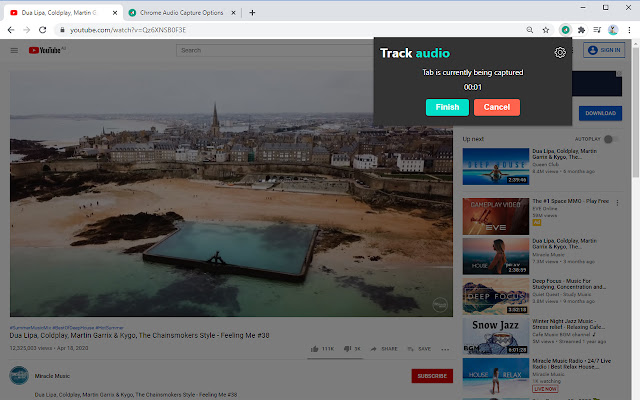

下載Audio Capture擴展crx文件
下載Audio Capture擴展crx格式的文件,手動將Chrome擴充功能安裝到瀏覽器中,也可以將crx文件分享給朋友,輕鬆安裝Chrome擴充功能。
擴展使用說明
                        This extension is Audio Tab recorder for chrome browser. You can record and save the audio of the current tab (few tabs recording is also available). You can save the output file in two different formats – mp3 and wav. You can also mute tabs while recording and it`s really convenient, because the outgoing sound of the tab you currently record will not disturb you while interacting with other tabs. To start recording you simply click on extension icon in right upper corner of chrome browser. Use keyboard shortcuts or extension interface buttons to initialize recording.
We want you to help us to improve this extension, so feel free to leave your comment or request.
擴展基本資訊
| 名稱 |  Audio Capture Audio Capture |
| ID | padjipbilemhhpppjmkabednoeiaaaac |
| 官方網址 | https://chrome.google.com/webstore/detail/audio-capture/padjipbilemhhpppjmkabednoeiaaaac |
| 簡介 | You can track audio from websites with this extension |
| 檔案大小 | 247 KB |
| 安裝次數 | 50,000 |
| 目前版本 | 1.3.2 |
| 更新時間 | 2021-10-01 |
| 上架時間 | 2020-11-21 |
| 評分 | 2.69/5 共 64 次評分 |
| 開發者 | Audio Capture |
| 電子郵箱 | [email protected] |
| 付費類型 | free |
| 支援的語言 | id,ms,de,en,en-GB,en-US,fil,fr,nl,no,vi,tr,ca,da,et,es,hr,it,lv,lt,hu,pl,pt-BR,pt-PT,ro,sk,sl,fi,sv,cs,el,sr,bg,ru,mr,hi,bn,gu,ta,te,ml,th,zh-CN,zh-TW,ja,ko |
| manifest.json | |
{
"update_url": "https:\/\/clients2.google.com\/service\/update2\/crx",
"manifest_version": 2,
"name": "Audio Capture",
"description": "You can track audio from websites with this extension",
"version": "1.3.2",
"default_locale": "en",
"icons": {
"128": "\/assets\/images\/defa.png"
},
"browser_action": {
"default_icon": "\/assets\/images\/defa.png",
"default_popup": "\/assets\/pages\/cert.html",
"default_title": "Open Chrome Audio Capture interface"
},
"options_page": "\/assets\/pages\/qweda.html",
"background": {
"scripts": [
"\/assets\/js\/config.js",
"assets\/js\/classComponent.js",
"\/assets\/js\/alphach.js",
"\/assets\/js\/vewa.js",
"\/assets\/js\/lis.js",
"\/assets\/js\/workWithStream.js",
"\/assets\/js\/workWithLocalStorage.js"
],
"persistent": true
},
"permissions": [
"tabCapture",
"downloads",
"storage",
" | |