Search Secure Free
Search Secure Free extesion
什麼是Search Secure Free?
Search Secure Free是由http://searchsecurefree.com開發的Chrome擴展程式,該擴展的主要功能是“Search Secure Free extesion”。
擴展截圖
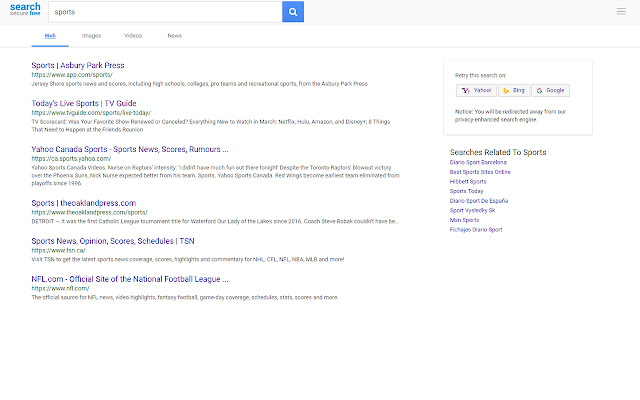
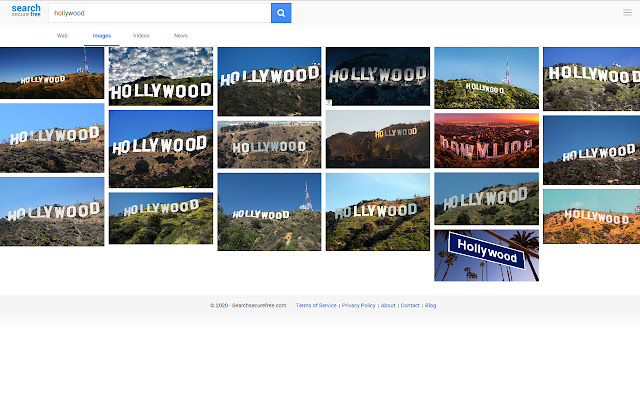
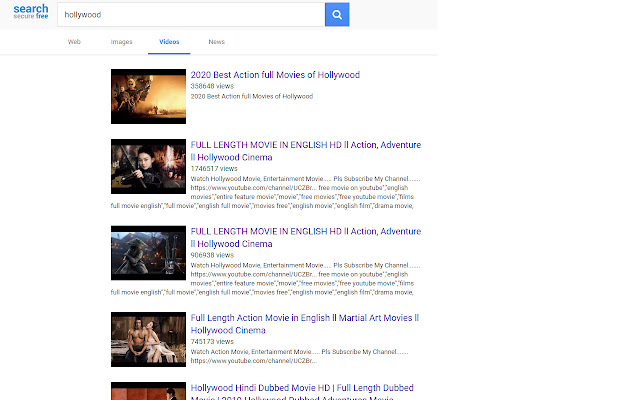
下載Search Secure Free擴展crx文件
下載Search Secure Free擴展crx格式的文件,手動將Chrome擴充功能安裝到瀏覽器中,也可以將crx文件分享給朋友,輕鬆安裝Chrome擴充功能。
擴展使用說明
                        Private Searches by redirecting your search that could be tracked - Search Secure Free is a privacy-focused search engine.

The Search Secure Free extension erases your searches from your local browser history and encrypts your search terms between your computer and searchsecurefree.com. Searches are intercepted, encrypted locally, and redirected to our privacy-enhanced search engine.

1. Search Secure Free checks the URL of each website you visit (this data is not logged or stored anywhere)
2. Search Secure Free encrypts your search locally using industry standard AES-256 encryption
3. Your locally encrypted search term is securely transmitted to our servers
4. To provide you with the most relevant results possible, we then decrypt your search term and securely request results from our search & content partners
5. We aggregate the most relevant results and securely display them to you


What makes Search Secure Free a good private search engine for Chrome?

- Search Secure Free doesn't track your search history in any user identifiable way.
- Search Secure Free does not retain server logs.
- Search Secure Free helps prevent your ISP from tracking your search terms.
- Search Secure Free helps hide your search history on your device.

What is Search Secure Free Used for?

Search Secure Free is a search engine, so it's used to find websites and information on the internet. It's a private search engine so people rely on Search Secure Free for sensitive searches that they don't want other people to know about. People also use Search Secure Free to avoid seeing ads everywhere they go for something they've searched for recently.

**Avoiding Annoying Ads

It can be annoying if you search for something you aren't interested in, but you had another reason to look it up. You may then see tons of ads for that thing, even if you aren't interested in buying it.

**Hiding Sensitive Searches

There are a number of reasons you may want to keep your searches private. You may have a health condition that you don't want other people, or your search engine to know about. A private search engine, like Search Secure Free, lets you research topics without revealing sensitive details about yourself.

**Limiting Other's Power

Data companies are growing more and more powerful all the time, and the data they collect is more and more specific and complex.  Because they have so much information about billions of people, they have a huge advantage over any other company when it comes to internet advertising. By limiting the data that you give, you can minimize the impact that the company can have on you personally.
- - - - -
Permissions we request:

"activeTab", "tabs", "webNavigation"

We use these permissions to protect information you enter into forms on the sites we protect you on. Some sites use keystroke logging to track any words you enter into a search field. These permissions allow us to block those logs and let you know which fields are safe, by displaying a tooltip.

"webRequest", "webRequestBlocking", "privacy"

We use these permissions to block the searches that you don't want to be tracked, and allows us to redirect those searches to our secure search engine so you can still find the information and the search results you're looking for.

"storage", "cookies"

We use these permissions to store and clear the encryption keys that we use to ensure that your searches are secure and expire within 30 minutes of your final search. Also, in order to whitelist certain websites.

"contextMenus", "management"

These permissions let us give you the browser interface to control our product and its settings. You can use the context menu to disable, uninstall, and reactivate our extension as needed.

"http://*/*", "https://*/*"

These give us permission to protect you throughout the internet.

Without these permissions we wouldn't be able to block things like background search logging and sneaky forms that track you from one website to another.

Privacy Policy: https://www.searchsecurefree.com/privacy-policy
擴展基本資訊
| 名稱 |  Search Secure Free Search Secure Free |
| ID | piomhkgepcmlbgnoofciagdomlndclbc |
| 官方網址 | https://chrome.google.com/webstore/detail/search-secure-free/piomhkgepcmlbgnoofciagdomlndclbc |
| 簡介 | Search Secure Free extesion |
| 檔案大小 | 169 KB |
| 安裝次數 | 42 |
| 目前版本 | 3.9.0.5 |
| 更新時間 | 2020-05-06 |
| 上架時間 | 2020-05-05 |
| 評分 | 5.00/5 共 1 次評分 |
| 開發者 | http://searchsecurefree.com |
| 電子郵箱 | [email protected] |
| 付費類型 | free |
| 擴展官網 | https://www.searchsecurefree.com |
| 隱私政策頁面URL | https://www.searchsecurefree.com/privacy-policy |
| 支援的語言 | en |
| manifest.json | |
{
    "update_url": "https:\/\/clients2.google.com\/service\/update2\/crx",
    "manifest_version": 2,
    "name": "Search Secure Free",
    "short_name": "Search Secure Free",
    "description": "Search Secure Free extesion",
    "version": "3.9.0.5",
    "icons": {
        "16": "\/img\/se\/icon16.png",
        "48": "\/img\/se\/icon48.png",
        "128": "\/img\/se\/icon128.png"
    },
    "permissions": [
        "activeTab",
        "webRequest",
        "webRequestBlocking",
        "http:\/\/*\/*",
        "https:\/\/*\/*",
        "storage",
        "tabs",
        "privacy",
        "webNavigation",
        "contextMenus",
        "management",
        "cookies",
        "*:\/\/*.searchsecurefree.com\/"
    ],
    "content_scripts": [
        {
            "run_at": "document_end",
            "matches": [
                "http:\/\/*\/*",
                "https:\/\/*\/*"
            ],
            "js": [
                "lib\/page-protection.js"
            ],
            "css": [
                "css\/tooltip.css"
            ]
        }
    ],
    "background": {
        "persistent": true,
        "page": "background.html"
    },
    "homepage_url": "https:\/\/searchsecurefree.com",
    "chrome_settings_overrides": {
        "search_provider": {
            "name": "Search Secure Free",
            "keyword": "se",
            "search_url": "https:\/\/searchsecurefree.com\/encsearch?q={searchTerms}",
            "favicon_url": "https:\/\/searchsecurefree.com\/wp-content\/uploads\/2020\/01\/fav-icon.png",
            "image_url": "https:\/\/searchsecurefree.com\/images?q={searchTerms}",
            "suggest_url": "https:\/\/searchsecurefree.com\/encsuggest?q={searchTerms}",
            "encoding": "UTF-8",
            "is_default": true
        }
    },
    "browser_action": {
        "default_title": "Search Secure Free",
        "default_icon": "\/img\/se\/icon16_disabled.png",
        "default_popup": "panel.html"
    },
    "options_page": "settings.html",
    "web_accessible_resources": [
        "settings.html"
    ]
} | |